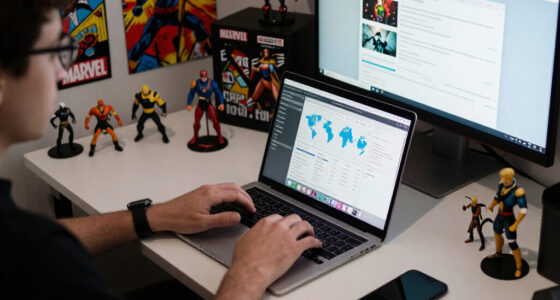


Ultrawide gaming monitors are growing in popularity because they offer more than just gaming benefits. Their immersive screens, curved design, and ergonomic features make them ideal for work, content creation, and multitasking. These monitors help reduce eye strain and improve comfort during long use. As trends advance, their sleek aesthetics and versatile functionality are reshaping digital environments. Keep exploring how these innovative displays can elevate your experience beyond gaming and make your workspace more dynamic.
Key Takeaways
- Ultrawide monitors are increasingly valued for productivity and multimedia, extending beyond gaming applications.
- The immersive curved design enhances experiences in professional work, content creation, and entertainment.
- Ergonomic and aesthetic features improve overall digital setup, appealing to a broader user base.
- Trends focus on integrating advanced curvature and comfort, benefiting long-term use across various tasks.
- Growing popularity reflects a shift toward versatile screens that enhance both work and leisure activities.
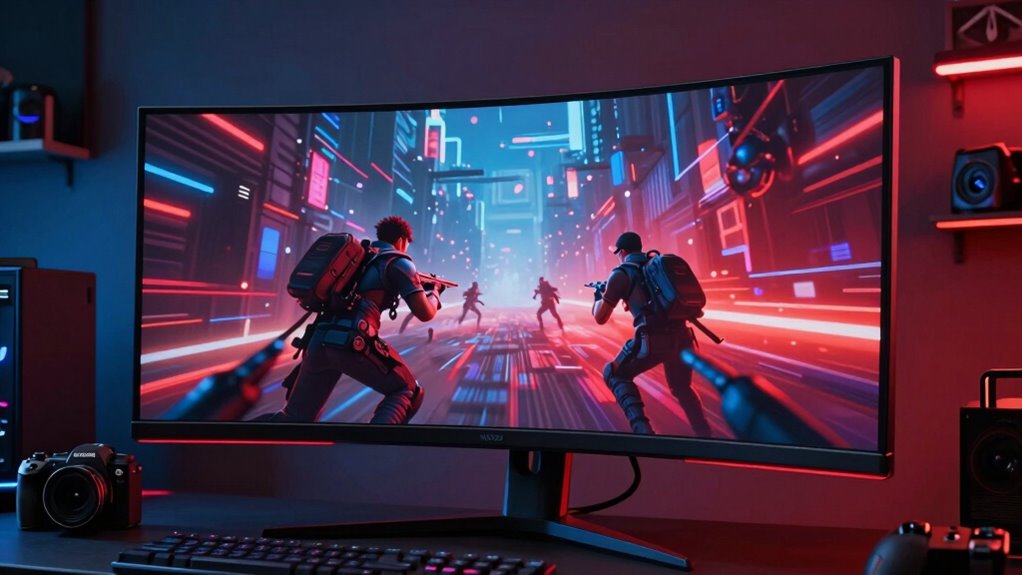
If you’re looking to elevate your gaming experience, ultrawide monitors offer an immersive view that standard screens can’t match. The wide aspect ratio pulls you right into the action, making every scene feel more real and engaging. One key feature that enhances this experience is screen curvature. Curved screens wrap around your field of vision, reducing distortion at the edges and creating a more natural viewing angle. This design helps you stay immersed without straining your eyes or neck, especially during long gaming sessions. The gentle curve aligns with the way your eyes naturally perceive the world, making visuals more comfortable and less fatiguing over time. Additionally, the screen curvature design can help minimize glare and reflections, further improving your viewing experience. Incorporating visual comfort features is essential for prolonged use, ensuring that your setup supports both immersive gameplay and overall eye health.
Beyond the visual benefits, the ergonomic design of ultrawide monitors plays a significant role in user comfort. Many models are crafted with adjustable stands that let you tilt, swivel, and height-adjust the screen to fit your posture perfectly. This flexibility means you can set up your gaming station to minimize neck strain and maintain good posture, even during extended play. The curved form factor also encourages a more natural head position, preventing you from constantly turning your neck to take in the full display. When your monitor fits your setup ergonomically, you can focus entirely on your game without distraction or discomfort. Moreover, ergonomic design features help prevent common issues like eye strain and discomfort during long usage periods, making ultrawide monitors a health-conscious choice. The integration of ergonomic features ensures that extended gaming sessions remain comfortable and healthy.
The combination of screen curvature and ergonomic design isn’t just about comfort—it’s about creating an environment that encourages longer, more enjoyable gaming sessions. You’ll notice the difference immediately when the visuals are more seamless, and your body feels less taxed. Many ultrawide monitors incorporate thin bezels and sleek designs, further enhancing the sense of immersion by eliminating distractions around the edges. This streamlined aesthetic is not only visually appealing but also functional, ensuring your focus stays on the game rather than the hardware. As the trend grows, manufacturers continue to refine screen curvature and ergonomic features, making ultrawide monitors not just a gaming accessory but an all-encompassing upgrade for your entire digital experience. A focus on precision measurement tools can further optimize your setup for the best possible performance.

Sceptre 34-Inch Curved Ultrawide WQHD Monitor (3440 × 1440), R1500, up to 180Hz/165Hz, DisplayPort x2, 99% sRGB, 1ms, Built-in Speakers, Machine Black, 2025 (C345B-QUT168)
- Fast Response Time: 1ms MPRT for smooth visuals
- Back Cover LED Lights: Colorful illumination for modern design
- WQHD Resolution: 3440 x 1440 for detailed images
As an affiliate, we earn on qualifying purchases.
As an affiliate, we earn on qualifying purchases.
Frequently Asked Questions
How Do Ultrawide Monitors Affect Workspace Ergonomics?
Ultrawide monitors improve your workspace ergonomics by reducing the need for frequent head and neck movements, allowing for a more natural viewing angle. You can make ergonomic adjustments easily, such as height and tilt, to suit your posture. This setup boosts workspace efficiency by providing more screen real estate, making multitasking smoother and faster. Overall, ultrawide monitors help create a comfortable, organized workspace that enhances your productivity.
Are Ultrawide Monitors Compatible With All Gaming Consoles?
You might find ultrawide monitors aren’t compatible with all gaming consoles out of the box. Console compatibility varies, so check if your device supports ultrawide resolutions, and be prepared for some display calibration to get the best picture. While some consoles like Xbox Series X and PlayStation 5 work well, older systems might struggle. Don’t throw in the towel—researching your console’s specs can save you a lot of headaches.
What Are the Best Resolutions for Ultrawide Gaming Monitors?
For ultrawide gaming monitors, aim for a resolution of at least 3440×1440 to enjoy sharp images and immersive detail. Look for models with a gentle screen curvature, around 1800R or 1500R, for comfortable viewing. Prioritize high refresh rates, like 100Hz or higher, to guarantee smooth gameplay. These features combine to enhance your experience, making fast action and wide views both seamless and engaging.
Do Ultrawide Monitors Require Special Graphics Cards?
You don’t necessarily need a special graphics card for ultrawide monitors, but compatibility matters. Think of your graphics card as a bridge—if it’s sturdy enough, it’ll handle the wider landscape without breaking a sweat. Make certain your card supports the monitor’s resolution and aspect ratio, and don’t forget to calibrate your display for perfect colors and clarity. With the right setup, your ultrawide experience will feel seamless and immersive.
How Do Ultrawide Monitors Impact Multitasking Productivity?
Ultrawide monitors boost your multitasking efficiency by providing a seamless, expansive workspace. You can easily organize multiple windows side by side, reducing the need to switch between tabs or screens. This setup streamlines your workflow, allowing you to focus better and complete tasks faster. With improved workspace organization, you’ll find multitasking more intuitive and less cluttered, making your overall productivity much higher.

WALI Ultrawide Single Monitor Arm for 17-49 inch Curved Screen, up to 33lbs
- Desk Space Optimization: Lifts monitor to free up workspace
- Cable Management: Guides wires for a tidy desk
- Wide Compatibility: Fits most 17-49 inch screens
As an affiliate, we earn on qualifying purchases.
As an affiliate, we earn on qualifying purchases.
Conclusion
So, who knew that the real game-changer wasn’t just about winning or losing, but about how wide you can go? As ultrawide monitors take over not just gaming but every aspect of your digital life, it’s amusing to think that the trend’s bigger than gaming itself. Maybe it’s not just about the pixels or the screens — maybe it’s about how far we’re willing to stretch the limits of our reality. Ironically, it’s not just a bigger picture; it’s a bigger world.

Dell 34 Monitor S3425DW, WQHD VA, 120Hz, FreeSync Premium, Eye Comfort
- Blue Light Reduction: Reduces blue light emissions to ≤35%
- High Refresh Rate: 120Hz refresh rate for smooth visuals
- Fast Response Time: 0.03ms ultra-low response time
As an affiliate, we earn on qualifying purchases.
As an affiliate, we earn on qualifying purchases.
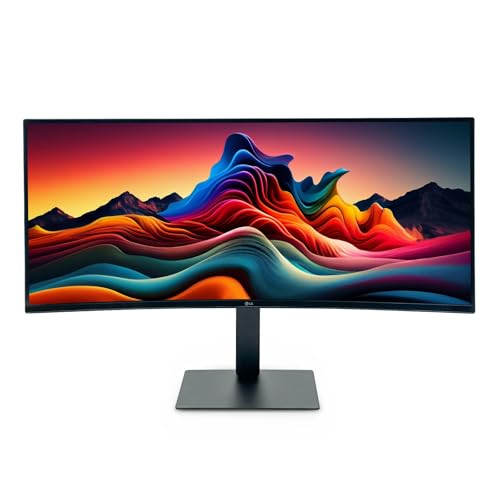
LG UltraWide 34 Inch WQHD HDR 10 Curved Monitor, 120Hz 5ms, 3440 x 1440, Black, Reader Mode, 34U62TB-B, Tilt/Height/Swivel Stand, 2025 Model (Renewed)
- Display Size: 34-inch curved ultrawide screen
- Resolution: 3440 x 1440 WQHD resolution
- Refresh Rate: 120Hz for smooth motion
As an affiliate, we earn on qualifying purchases.
As an affiliate, we earn on qualifying purchases.