

TL;DR

Get movie nights delivered free with Prime
- Fast, free delivery on millions of items
- Prime Video, Amazon Music and more included
- Member-only deals all year
Building a custom AI workstation used to save money, but supply shortages and rising component costs now make prebuilt systems competitive or even cheaper. Your decision hinges on time, support, and control versus convenience and validated performance.
If you’re eyeing an AI workstation, the question now isn’t just about specs. It’s whether to build one yourself or buy a ready-made system. The landscape has shifted dramatically in 2026, with supply chain issues pushing prices up and prebuilt vendors offering compelling, ready-to-go options.
This decision affects your budget, your time, and how much control you want over your machine’s performance. Let’s break down what really matters when choosing between building and buying your AI powerhouse.
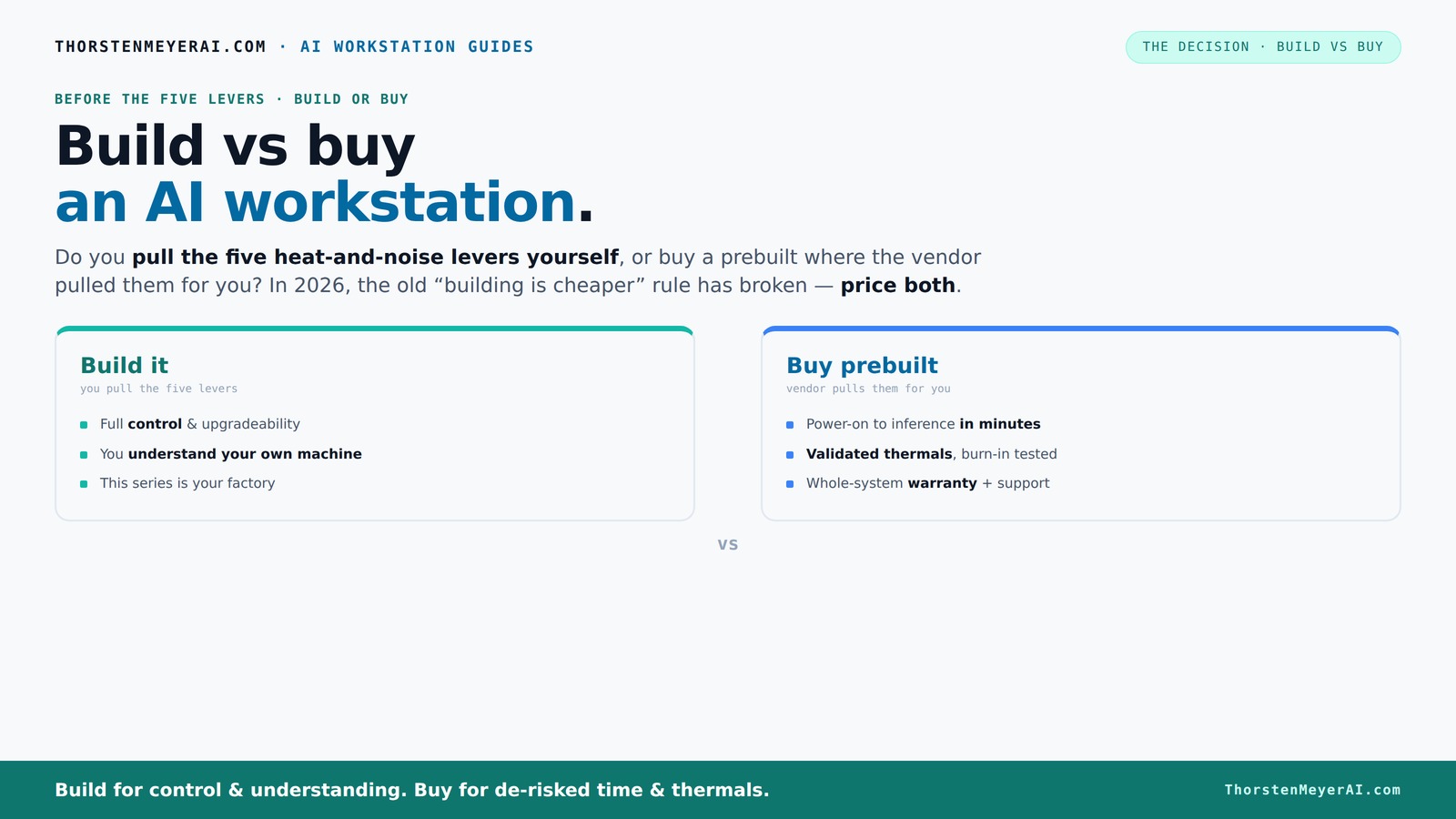
Build vs buy
an AI workstation.
The real question behind this whole series: do you pull the five heat-and-noise levers yourself, or buy a prebuilt where the vendor pulled them for you? And in 2026, the old “building is cheaper” rule has broken. Match your situation in Part 3.
Key Takeaways
- In 2026, supply chain issues mean prebuilt AI workstations often match or beat DIY costs, breaking the “build cheaper” myth.
- Prebuilts save time and reduce risk by delivering validated thermals, support, and quick deployment—ideal for professionals under tight deadlines.
- DIY builds offer maximum control over components, cooling, and future upgrades but require time, technical skill, and troubleshooting patience.
- Support, warranty, and reliability are stronger in prebuilt systems, especially for multi-GPU setups where thermal management is complex.
- Your choice hinges on balancing your workload needs, technical skills, time availability, and long-term upgrade plans.
As an affiliate, we earn on qualifying purchases.
Why 2026 Changes Everything for Building vs Buying
Building your AI workstation used to be cheaper because you picked the parts, assembled, and tuned it. But in 2026, supply chain snarls and component shortages mean the cost of parts like GPUs and DDR5 RAM have surged by 20-30%.[2]
Meanwhile, prebuilt vendors bought in bulk early and now offer systems at prices that are often on par or even lower than DIY setups. For example, a high-end GPU that once cost $800 now hovers around $1,200, whether assembled by you or a vendor.
This flips the usual script—cost isn’t the clear winner anymore. Now, the decision hinges on what you value: time, support, or customization.
As an affiliate, we earn on qualifying purchases.
The Five Levers of a Cool, Quiet AI Workstation — Who Pulls Them?
Every high-power AI machine is a heat monster. Managing noise, temperature, and stability means pulling five levers: undervolting the GPU, matching cooling solutions, optimizing airflow, tuning fan curves, and careful placement.
If you buy a prebuilt, the vendor has already pulled these levers—validated thermal performance, quiet operation, and stability. They tune everything in their factory so you don’t have to. For example, BIZON claims systems engineered for 30% lower noise and temperature.
If you build it yourself, you’re in the driver’s seat. You choose a quiet GPU, like a [NVIDIA RTX 4060 Ti](https://thorstenmeyerai.com/quiet-gpus-local-ai/), undervolt it with custom software, pick a cooler, design airflow, and settle the noise levels yourself. It’s more work but gives you perfect control.
As an affiliate, we earn on qualifying purchases.
Prebuilt AI Workstations: The Case for Plug-and-Play Speed
When time is tight, prebuilt systems shine. They arrive with everything installed—OS, CUDA, TensorFlow, and other AI stacks ready to run. Power on, load your data, and start training or inference within minutes.
Imagine you’re a researcher with a tight deadline. Instead of sourcing parts, waiting for delivery, and assembling for hours—possibly days—you get a system tested and validated by experts. It’s like buying a car that’s already tuned for performance, rather than building your own from parts.
Plus, a reputable vendor offers support and warranty. If something breaks, they fix it. Systems like Lambda’s or Puget’s come with 24-48 hours of stress testing, so you’re protected from thermal throttling or stability issues.
As an affiliate, we earn on qualifying purchases.
Building It Yourself: The True Cost and Reward
DIY is about control. You pick every part—CPU, GPU, RAM, cooling—and tune it precisely to your workload. For example, choosing a [quiet CPU cooler](https://thorstenmeyerai.com/quiet-cpu-coolers-ai-workstation/) and undervolting your GPU can cut noise and heat significantly.
But it’s not just about savings. It’s about the learning process and future-proofing. You understand every component, which makes troubleshooting easier and upgrades smoother.
Be aware: the hidden costs include time spent sourcing parts, fixing compatibility issues, testing stability, and installing drivers. According to PC Centric, the true cost of building includes these extras, which can overshadow initial savings.[3]
Comparison Table: Build vs Buy — What’s the Real Difference?
| Feature | Build | Buy |
|---|---|---|
| Cost | Potentially cheaper upfront, but variable; watch for hidden labor and troubleshooting costs. | Usually more expensive upfront, but includes assembly, validation, and support. |
| Time to deploy | Hours to days, depending on experience and parts availability. | Minutes to hours; plug-and-play ready. |
| Support & warranty | Depends on parts; troubleshooting is DIY, warranties vary. | Vendor-backed support, often with comprehensive warranties. |
| Customization | Full control over components and cooling solutions. | Limited by vendor options; some upgrades possible. |
| Upgradeability | High—easy to swap GPUs, RAM, storage. | Varies; often proprietary parts limit upgrades. |
Which Option Fits Your Workload and Skills?
If you’re a hobbyist or student with time on your hands and love tinkering, building your own AI rig makes sense. You learn the ins and outs of cooling, power, and compatibility. Plus, you can optimize for your specific workload—whether it’s training large models or running inference.
On the flip side, if you’re a professional or business that needs fast deployment, reliable support, and minimal fuss—buying a prebuilt can be a game-changer. It’s less about DIY pride and more about getting results, fast and supported.
For example, a startup needing to spin up multiple AI servers quickly might prioritize prebuilds, while a research lab with a dedicated hardware team might prefer custom builds for maximum control.
The Hidden Costs and Long-Term Tradeoffs
Building your own system isn’t just about saving money. It involves hidden costs like time, troubleshooting, and potential compatibility issues. These can add days or even weeks, especially if you’re new to PC building.
Prebuilts include support, warranty, and often software optimizations—saving you time and reducing risk. But they can be less flexible, with proprietary parts that complicate future upgrades.
For example, a vendor might use a proprietary PSU connector, making GPU upgrades a headache later. So, consider not just the sticker price but what happens when things go wrong or you want to upgrade.
The Bottom Line: Which Should You Pick?
If your priority is quick deployment, support, and a system tested by experts, a prebuilt is the safer, smarter choice—especially in 2026 when component costs have shifted the balance.
If you crave control, enjoy the building process, or want to upgrade freely over time, then building your own system remains a rewarding challenge. Just be ready for the extra time, effort, and troubleshooting involved.
Ultimately, the best choice depends on your workload, budget, and skills. Weigh the tradeoffs carefully, and remember: the right system is the one that fits your needs today—and tomorrow.
Frequently Asked Questions
Is it cheaper to build or buy an AI workstation in 2026?
Thanks to component shortages and rising prices, prebuilt systems often cost as much as, or less than, DIY builds. Always price both options for your specific configuration before deciding.
Which is faster to deploy for AI workloads?
Prebuilt workstations are ready to run out of the box, with pre-installed software and validated thermals. Building your own takes hours or days, depending on your experience and part availability.
Are prebuilt systems upgradable later?
It depends. Some OEM prebuilts use proprietary parts that limit upgrades, especially for GPUs and PSUs. Custom builds generally make future upgrades easier and more flexible.
Do vendor-optimized AI systems perform better?
Yes, many vendors optimize their systems for specific AI workloads, reducing power draw and boosting efficiency—especially in supported applications like TensorFlow or PyTorch.[1]
What hidden costs should I consider with building?
Beyond parts, consider time spent sourcing, troubleshooting compatibility, testing stability, and installing drivers. These can add up, making DIY more costly in effort than price.
Conclusion
Choosing between build and buy isn’t just about dollars; it’s about your workflow, your skills, and your patience. In 2026, prebuilt AI workstations challenge the old rule—cost and convenience often go hand in hand.
Remember, the best system is the one that gets you to your AI goals faster, smoother, and with fewer surprises. So weigh your options, pick what fits, and get ready to power your AI projects like a pro.
Halloween Picks
halloween
As an affiliate, we earn on qualifying purchases.