
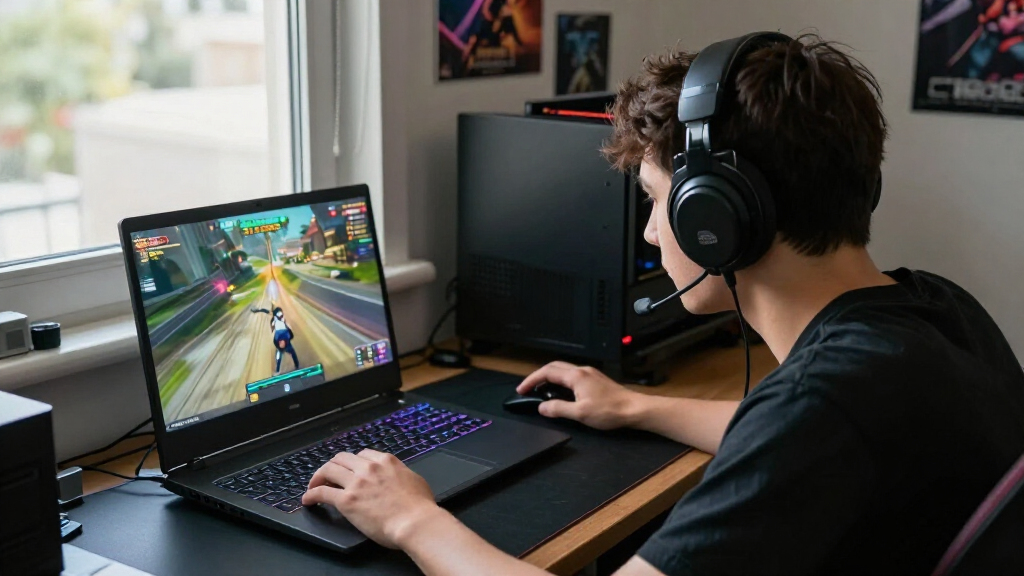

Choosing a high refresh rate gaming laptop is less about finding the biggest number on the box and more about matching the screen to the games you play and the frame rates your hardware can deliver. A 165Hz laptop already makes movement look much smoother than a standard 60Hz display. A 240Hz model updates the image more often, which can make fast aiming feel a little clearer and more immediate, but that benefit is easiest to notice in esports games running at very high frame rates.

Get movie nights delivered free with Prime
- Fast, free delivery on millions of items
- Prime Video, Amazon Music and more included
- Member-only deals all year

ASUS ROG Strix G16 (2026) 16-Inch Gaming Laptop, Intel Core Ultra 9 290HX Plus, NVIDIA GeForce RTX 5080, 32GB DDR5, 1TB SSD
- ✔ Display: 16-inch, 2560 × 1600
- ✔ Refresh rate: 240Hz in title; 300Hz in description and specifications
- ✔ Processor: Intel Core Ultra 9 290HX Plus

ASUS ROG Strix G15 Gaming Laptop, 15.6-inch FHD 300Hz Display, Ryzen 7 4800H, GeForce RTX 3050 Ti, 16GB RAM, 512GB SSD
- ✔ Display: 15.6-inch IPS-type, 1920 × 1080
- ✔ Refresh rate: 300Hz, 3ms
- ✔ Processor: AMD Ryzen 7 4800H, 8 cores/16 threads

ASUS ROG Strix G16 (2025) 16-Inch Gaming Laptop, Intel Core i7-14650HX, NVIDIA GeForce RTX 5060, 16GB DDR5, 1TB SSD
- ✔ Display: 16-inch, 1920 × 1200
- ✔ Refresh rate: 165Hz
- ✔ Processor: Intel Core i7-14650HX
The real decision is whether that smaller competitive edge is worth paying extra and potentially choosing a configuration with greater power demands. For most players, 165Hz offers the stronger balance of price, performance, and flexibility. Choose 240Hz if you play competitive shooters seriously, can afford a GPU capable of keeping frame rates high, and value every small improvement in motion clarity. A high refresh rate alone does not guarantee a better laptop: graphics performance, cooling, screen quality, and battery life still shape the experience.
At a Glance
| Criteria | 165Hz gaming laptops | 240Hz gaming laptops | Winner |
|---|---|---|---|
| Motion smoothness | Smooth motion up to 165 frames per second | Can show up to 240 frames per second | B |
| Competitive response | Fast and responsive for most players | Slightly clearer motion and shorter intervals between updates | B |
| GPU and frame rate needs | Easier to match with midrange laptop GPUs | Needs a capable GPU and suitable settings to make full use of it | A |
| Single-player gaming | A strong fit, especially when games run below 165 fps | Limited benefit when games run well below 240 fps | A |
| Price and value | Usually the better balance of cost and performance | Worth the premium mainly for competitive players | A |
| Battery and power use | Often less demanding when paired with lower frame rates | High frame rates can increase GPU power draw and heat | A |
| Screen resolution options | Commonly available at 1080p and 1440p | Often paired with 1080p; check the specific panel | Depends |
ASUS ROG Strix G16 (2026) 16-Inch Gaming Laptop, Intel Core Ultra 9 290HX Plus, NVIDIA GeForce RTX 5080, 32GB DDR5, 1TB SSD
For buyers who want a fast screen and the hardware to make use of it, the 2026 Strix G16 is the most ambitious configuration in this group. Its RTX 5080 Laptop GPU with 16GB GDDR7, Intel Core Ultra 9 processor, and 32GB of memory make it the strongest starting point here for demanding games and high frame rates. The 16-inch 2560 × 1600 panel also gives us more detail than either Full HD alternative, so the laptop serves both speed-focused play and sharper visuals.There is a meaningful catch for a refresh-rate roundup: the product title states 240Hz, while the description and specifications state 300Hz. That is a material discrepancy, so we would verify the exact panel configuration before choosing it specifically for a particular refresh target. Its higher resolution also asks more of the GPU than the G15’s 1920 × 1080 screen. Compared with the 2025 G16, it offers substantially stronger listed graphics, more memory, and a sharper display, but it is a more premium, gaming-forward package. The vapor chamber, tri-fan cooling, liquid metal, MUX switch, and Advanced Optimus round out a feature set for buyers who want control and upgrade access. The RGB light bar and listed 90Wh battery are worth considering if understated styling or unplugged gaming is a priority.
Pros:
- RTX 5080 Laptop GPU with 16GB GDDR7
- 16-inch 2560 × 1600 display listed at either 240Hz or 300Hz
- 32GB DDR5 memory and 1TB PCIe Gen 4 SSD
- Vapor chamber, tri-fan cooling, liquid metal, and tool-free access
Cons:
- Refresh rate conflicts between the title and product details
- Higher resolution requires more graphics work than Full HD
- Customizable RGB light bar may not suit understated setups
Best for: Players seeking the strongest listed graphics configuration and a high-resolution 16-inch screen, who will confirm the panel refresh rate before purchase.
Not ideal for: Buyers who need a verified refresh-rate specification, a subdued design, or a Full HD panel for prioritizing very high frame rates in lighter games.
Bottom line: We rank the 2026 G16 first for its combination of high-resolution display and strongest listed GPU, provided buyers verify the actual refresh rate.
“We rank the 2026 G16 first for its combination of high-resolution display and strongest listed GPU, provided buyers verify the actual refresh rate.”
ASUS ROG Strix G15 Gaming Laptop, 15.6-inch FHD 300Hz Display, Ryzen 7 4800H, GeForce RTX 3050 Ti, 16GB RAM, 512GB SSD
The Strix G15 puts the screen-speed proposition first: its 15.6-inch Full HD panel is specified at 300Hz with a 3ms response time, and Adaptive-Sync is included for smoother motion. For players focused on competitive titles where clear movement and quick updates matter more than extra pixels, that is the most direct fit in this lineup. Its 1920 × 1080 resolution is also less demanding than the 2026 G16’s 2560 × 1600 panel, which is a sensible pairing with the older RTX 3050 Ti.That balance comes with a ceiling. The RTX 3050 Ti has 4GB of graphics memory, so this is the least capable graphics configuration among the three supplied options; a 300Hz panel does not mean every game will run at 300 frames per second. Compared with the 2025 G16, the G15 offers a much higher listed refresh rate but older graphics, a smaller 512GB SSD, and DDR4 rather than DDR5 memory. It is also listed at 4.6 pounds. Its Ryzen 7 4800H, liquid-metal cooling, and 16GB RAM make it a coherent Full HD gaming setup, but buyers seeking newer graphics features, more storage, or higher-resolution visuals should look to one of the G16 models.
Pros:
- 15.6-inch Full HD screen specified at 300Hz and 3ms
- Adaptive-Sync for smoother display behavior
- Ryzen 7 4800H with 16GB RAM
- Liquid-metal cooling compound
Cons:
- RTX 3050 Ti graphics has 4GB GDDR6
- 512GB SSD offers less listed storage than either G16
- Listed weight is 4.6 pounds
Best for: Competitive and lighter-game players who prefer a 300Hz Full HD screen and can accept older, more limited graphics hardware.
Not ideal for: Buyers targeting demanding new games at high settings, sharper-than-Full-HD visuals, or a lighter laptop for frequent travel.
Bottom line: We recommend the G15 for screen speed in Full HD, while buyers who need stronger graphics should favor either G16.
“We recommend the G15 for screen speed in Full HD, while buyers who need stronger graphics should favor either G16.”
ASUS ROG Strix G16 (2025) 16-Inch Gaming Laptop, Intel Core i7-14650HX, NVIDIA GeForce RTX 5060, 16GB DDR5, 1TB SSD
The 2025 Strix G16 is the middle ground: its 165Hz 16-inch display is slower on paper than the 300Hz panels in the other two picks, but it pairs that screen with an RTX 5060 and a 16:10 1920 × 1200 resolution. That makes it a reasonable choice for buyers who want a modern graphics option and a slightly taller workspace without making the display’s headline refresh rate the only priority. Compared with the G15, it has newer listed graphics, DDR5 memory, and twice the SSD capacity; compared with the premium 2026 G16, it gives up refresh speed, graphics tier, and pixel count.The 165Hz panel still supports smooth motion for many games, though players pursuing the highest possible refresh rate should choose the G15 or verify the 2026 G16’s screen details. The RTX 5060 with DLSS 4 and Max-Q technologies is a more current feature set than the G15’s RTX 3050 Ti, but no supplied benchmark tells us what frame rates to expect. The 1TB PCIe Gen 4 SSD and tool-free RAM and SSD access add useful flexibility, while vapor-chamber and tri-fan cooling are designed for sustained gaming workloads. The main compromises are its FHD+ resolution and the listing’s stated two-hour battery life. At 2.65 kg, it is also not an especially light option for daily commuting.
Pros:
- RTX 5060 Laptop GPU with DLSS 4 and Max-Q technologies
- 16-inch 1920 × 1200 display at 165Hz
- 1TB PCIe Gen 4 SSD and 16GB DDR5 memory
- Vapor-chamber, tri-fan cooling and tool-free RAM/SSD access
Cons:
- 165Hz is the lowest listed refresh rate in this group
- FHD+ resolution is less detailed than the 2026 G16 panel
- Listed battery life is two hours
Best for: Players who want newer listed graphics, 1TB storage, and a 16-inch 16:10 screen without prioritizing a 300Hz panel.
Not ideal for: Competitive players who specifically want a 240Hz-or-higher verified display, or buyers prioritizing high-resolution gaming and long listed battery life.
Bottom line: The 2025 G16 is our balanced pick for newer graphics and useful storage, but it is not the choice for the lineup’s fastest screen.
“The 2025 G16 is our balanced pick for newer graphics and useful storage, but it is not the choice for the lineup’s fastest screen.”
As an Amazon Associate we earn from qualifying purchases.
Key Differences
The most visible difference is how often the display can update. At 165Hz, a new refresh can appear about every 6.1 milliseconds; at 240Hz, about every 4.2 milliseconds. That roughly 1.9 millisecond interval is real, but it does not mean every player will notice a dramatic change. A 240Hz panel is most useful when the game produces enough frames to take advantage of it, and the benefit depends on the display’s response time, the game, and the player’s sensitivity to motion.
That makes the 165Hz option the sensible default. It pairs well with a wider range of laptop GPUs and remains smooth in demanding games that cannot sustain 240 frames per second. The 240Hz option is a specialist upgrade: it can help competitive players track fast movement, but it asks for more from the graphics hardware and often costs more. If that extra budget would otherwise buy a stronger GPU, better cooling, or a better quality screen, those upgrades may improve more games and more moments.
Refresh rate also does not tell the whole story. A 240Hz panel with slow pixel response, poor brightness, or weak color can look less appealing than a well-tuned 165Hz screen. Resolution matters too: rendering a game at 1440p takes more graphics power than at 1080p, making very high frame rates harder to reach. Compare the complete laptop configuration, including GPU power limits and cooling, rather than deciding from refresh rate alone.
Detailed Comparison
Motion smoothness (240Hz gaming laptops wins — moderate)
240Hz wins, with a moderate difference. It can refresh 75 times more per second than 165Hz, so fast movement may look more continuous and objects can be easier to follow. The gain is smaller than the jump from 60Hz to 165Hz. Players who mostly use a laptop for casual or slower-paced games may find 165Hz already very smooth.
Competitive response (240Hz gaming laptops wins — moderate)
240Hz wins by a minor to moderate margin. In a fast shooter where frame rates stay high, the shorter refresh interval can make input and motion feel marginally more immediate. It cannot guarantee better results, and the difference is less persuasive when a game is capped, the GPU cannot keep up, or the player does not notice the added clarity. For a serious esports player, a small improvement can still be worthwhile.
GPU and frame rate needs (165Hz gaming laptops wins — moderate)
165Hz wins, with a moderate practical advantage. It takes fewer frames per second to approach the screen’s maximum refresh rate, so a broader range of laptop GPUs can make good use of it. Reaching 240 fps in demanding games can require lower graphics settings or a more powerful and costly system. If your games usually run around 100 to 160 fps, a 240Hz panel will not display the full 240 distinct frames each second.
Single-player gaming (165Hz gaming laptops wins — minor)
165Hz wins for most single-player players, by a minor margin. Many visually demanding games run below 240 fps even on powerful laptops, so the higher ceiling may go unused. Both displays can look smooth when frame rates are stable, and a 165Hz model may let the budget go toward a faster GPU that improves image quality and performance across a wider set of games.
Price and value (165Hz gaming laptops wins — moderate)
165Hz is the better value, usually by a moderate margin. The 240Hz upgrade is worth paying for when competitive play is a priority and the laptop can sustain high frame rates. Otherwise, extra spending on refresh rate can yield less benefit than a better graphics chip, more memory, or a higher quality display. Compare actual configurations: laptop prices and component pairings vary, so 240Hz does not always carry the same premium.
Battery and power use (165Hz gaming laptops wins — minor)
165Hz tends to win, but the gap is minor and model-dependent. A high refresh rate can use more display power, while driving a GPU to very high frame rates can add substantial heat and drain during gaming. The laptop’s battery capacity, screen technology, power settings, and GPU matter more than the refresh number by itself. Expect demanding gaming to require a charger with either option.
Screen resolution options (moderate difference)
Neither wins across the category; check the specific model. High refresh rate laptops come in different resolutions, but 240Hz is often paired with 1080p to make high frame rates easier to reach. Some 165Hz options offer 1440p, which provides a sharper image at the cost of greater GPU load. Pick the resolution that suits your screen size and games, then confirm both refresh rate and panel quality.
165Hz gaming laptops: Pros and Cons
Pros:
- Smooth gaming for a broad range of titles
- Easier to match with midrange GPUs
- Often leaves more budget for graphics performance or display quality
- A strong fit for mixed competitive and single-player use
Cons:
- Does not provide the highest motion clarity available
- Competitive players with very high frame rates may prefer 240Hz
- The refresh rate can still exceed the frame rate in demanding games
240Hz gaming laptops: Pros and Cons
Pros:
- Higher refresh ceiling for fast esports games
- Can make rapid motion easier to track when frame rates are high
- Appeals to players who prioritize competitive responsiveness
Cons:
- The advantage over 165Hz is modest for many people
- Getting close to 240 fps may require a stronger GPU or lower settings
- Higher cost and power demands may not pay off in slower or demanding games
Who Should Choose What
Choose 165Hz gaming laptops if:
- You play a mix of competitive and single-player games.
- Your laptop GPU commonly delivers below 200 fps in the games you play.
- You would rather spend the budget on a stronger GPU, better cooling, or a higher quality screen.
- You want high refresh rate gaming without paying for a ceiling you may rarely reach.
Choose 240Hz gaming laptops if:
- You mainly play fast competitive games such as esports shooters.
- You can afford a GPU and cooling system that keep frame rates near 200 to 240 fps in your games.
- You already have the core performance you need and value a small improvement in motion clarity.
- The price difference is modest and the 240Hz panel has good response time and image quality.
Skip both if: Skip both if you need long unplugged gaming sessions, prioritize a quiet and lightweight everyday laptop, or mainly play demanding games at frame rates well below 100 fps. A lower refresh rate model with a stronger GPU, better screen, or longer battery life may suit you better.
Value for Money
For most buyers, a 165Hz laptop is the better value. It delivers clearly smooth play and works with more modest frame rates, leaving money available for components that affect a wider range of games. Paying extra for 240Hz makes sense when you play competitive titles regularly, your hardware can deliver high frame rates, and the panel’s response and image quality are good. If the premium forces you to step down to a weaker GPU or poor cooling, the trade is usually unfavorable. Compare the full specifications and price difference, not just the display label.
Final Verdict
Choose a 165Hz gaming laptop if you want the best all-round balance or mainly play demanding and single-player games. It is the stronger recommendation for most buyers because its smoothness is already substantial and it does not require as many frames to feel well matched to the system.
Choose 240Hz if you are a competitive player with a laptop powerful enough to run your main games at very high frame rates and you are willing to pay for a modest improvement in motion clarity. The deciding factor is sustained performance in the games you actually play. If you cannot get close to 240 fps, spend the difference on a better GPU or a better-built laptop instead.
Frequently Asked Questions
Can you actually see the difference between 165Hz and 240Hz?
Some players can, especially when tracking rapid movement in competitive games at high frame rates. The difference is usually less dramatic than moving from 60Hz to 165Hz, and it varies with the game, panel response, and individual perception.
Does a 240Hz laptop need to run games at 240 fps?
No. The laptop will still display games below 240 fps, but it cannot show 240 distinct frames each second if the game produces fewer. The higher refresh rate has its clearest advantage when frame rates are also high and reasonably stable.
Is 240Hz worth paying more for in a gaming laptop?
It can be worth the premium for players focused on competitive shooters who can sustain high frame rates. For mixed use or demanding single-player games, 165Hz is generally better value, especially if choosing it lets you afford a stronger GPU.
Should I choose 1080p or 1440p for a high refresh rate laptop?
Choose 1080p if high frame rates in competitive games are your priority. Choose 1440p if you value sharper visuals and your GPU can handle the added workload. Check the model’s actual resolution and refresh rate together; neither one alone describes the screen’s full quality.