
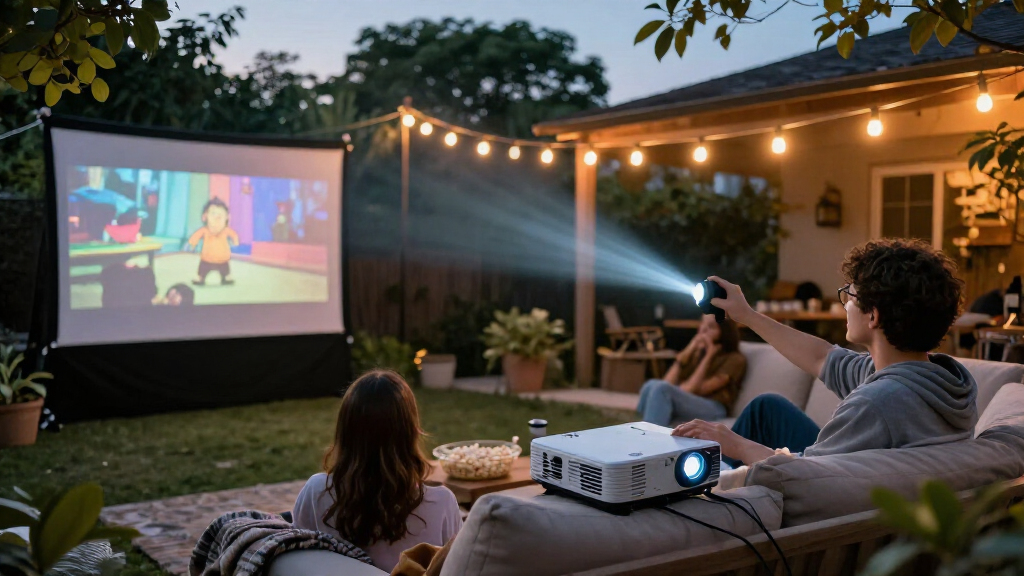

For most movie nights, I’d start with the Epson Home Cinema 1100: its home-theater design makes it the strongest fit when picture quality matters more than portability. The Soundcore Nebula P1i stands out for its flippable speakers, while the HAPPRUN Roku Smart Mini Projector offers a simpler streaming-focused setup. The main tradeoffs are brightness and image performance versus portability, built-in streaming convenience, and sound quality. Some compact models are easier to move, but they may be less suited to a large screen or a bright room. Read on for the full breakdown and help match a projector to your room, viewing habits, and setup.

Get movie nights delivered free with Prime
- Fast, free delivery on millions of items
- Prime Video, Amazon Music and more included
- Member-only deals all year
Key Takeaways
- The Epson Home Cinema 1100 is the most home-theater-oriented pick in this lineup; it makes more sense for a fixed indoor setup than for portable outdoor viewing.
- Built-in streaming is a convenience, not a guarantee of the best picture. Roku and Google TV models simplify app access, while brightness and room conditions still shape the viewing experience.
- Portable models solve different problems. The Nebula Capsule 3 favors a compact form, while the Nebula P1i pairs portability with flippable speakers.
- Native 1080p is a more relevant movie-night detail than 4K support alone. A supported input resolution does not mean a projector displays a native 4K image.
- Bundled extras and unusual features suit specific routines. A screen, built-in DVD player, or rotating stand can help in the right setup, but should not outweigh image needs.
| Soundcore Nebula P1i Portable Projector with Flippable Speakers |  | Best for Flexible Built-In Audio | Native resolution: 1920 × 1080 | Display type: LCD | Brightness: 380 ANSI lumens | VIEW LATEST PRICE | See Our Full Breakdown |
| XuanPad Smart Mini Projector, Native 1080p with 4K Support, Wi-Fi, Bluetooth 5.2, Autofocus, and 360° Stand |  | Best for Flexible Placement | Native resolution: 1920 × 1080 | Maximum supported input: 3840 × 2160 | Projection size: 40–200 inches | VIEW LATEST PRICE | See Our Full Breakdown |
| TMY V88 Native 1080p Portable Projector with Wi-Fi, Bluetooth 5.1, and Projection Screen |  | Best for a Ready-to-Use Screen Bundle | Native resolution: 1920 × 1080 | Display type: LCD | Brightness: 320 ANSI lumens | VIEW LATEST PRICE | See Our Full Breakdown |
| Magcubic HY300pro+ Portable Mini Projector with Wi-Fi 6, Bluetooth 5.4, and 180° Rotation |  | Best for Casual, Ultra-Light Viewing | Native resolution: 1280 × 720 | Maximum supported input: 4096 × 2160 | Brightness: 200 ANSI lumens | VIEW LATEST PRICE | See Our Full Breakdown |
| HAPPRUN Roku Smart Mini Projector with Wi-Fi and Bluetooth |  | Best for Simple Roku Streaming | Display type: LCD | Maximum display resolution: HD | Maximum image size: 120 inches | VIEW LATEST PRICE | See Our Full Breakdown |
| HAPPRUN H1 Native 1080p Portable Bluetooth Projector |  | Best for Flexible Placement | Native resolution: 1920 × 1080 | Display type: LCD | Brightness: 300 ANSI lumens | VIEW LATEST PRICE | See Our Full Breakdown |
| ELEPHAS Roku TV Smart Projector with Wi-Fi and Bluetooth |  | Best for Built-In Streaming | Native resolution: 1280 × 720 | Display type: LCD | Brightness: 150 ANSI lumens | VIEW LATEST PRICE | See Our Full Breakdown |
| TMY Native 1080p Mini Portable Projector with Two-Way Bluetooth and 80-Inch Screen |  | Best for a Ready-Made Screen Setup | Native resolution: 1920 × 1080 | Supported input resolution: 4K | Brightness: Up to 300 ANSI lumens | VIEW LATEST PRICE | See Our Full Breakdown |
| WiMiUS P62 Pro Smart Outdoor Projector with Native 1080p, 4K Support, Wi-Fi 6, and Dolby Audio |  | Best for Feature-Rich Movie Nights | Native resolution: 1920 × 1080 | 4K support: Accepts 4K input; displays at native 1080p | Brightness: 600 ANSI lumens | VIEW LATEST PRICE | See Our Full Breakdown |
| KODAK Luma 500 Portable Mini Projector with Google TV |  | Best Compact Smart Projector | Display type: DLP | Native resolution: 1920 × 1080 | Maximum white brightness: 160 ANSI lumens | VIEW LATEST PRICE | See Our Full Breakdown |
| Epson Home Cinema 1100 1080p 3LCD Home Theater Projector |  | Best for Bright Living Rooms | Native resolution: 1920 × 1080 | Display type: LCD with 3LCD technology | Brightness: 3,400 lumens color and white brightness | VIEW LATEST PRICE | See Our Full Breakdown |
| YGSKK Mini Projector with Wi-Fi 6, Bluetooth 5.3, and Built-In Streaming Apps |  | Best for Easy Setup and Built-In Streaming | Native resolution: 1080p | 4K input: Compatible via HDMI | Brightness: 300 ANSI lumens | VIEW LATEST PRICE | See Our Full Breakdown |
| Full HD WiFi Bluetooth Projector with Built-in DVD Player, Native 1080p Support, Portable Mini Projector for Outdoor Movies up to 250″ Screen |  | Best for DVD Movie Collections | Native resolution: 1920 × 1080 | Display type: LCD LED | Brightness listing: 54 watts | VIEW LATEST PRICE | See Our Full Breakdown |
| NEBULA Capsule 3 Portable 1080p Projector |  | Best Battery-Powered Compact Pick | Native resolution: 1920 × 1080 | Display type: DLP | Brightness: 200 lumens | VIEW LATEST PRICE | See Our Full Breakdown |
| Aurzen D1R Portable Smart Projector with Roku TV |  | Best for Roku-Based Movie Nights | Native resolution: 1920 × 1080 | Display type: LCD | Streaming platform: Roku TV | VIEW LATEST PRICE | See Our Full Breakdown |
| movie night projector | Native resolution | Display type | Brightness | Connectivity |
|---|---|---|---|---|
| Soundcore Nebula P1i Portable | 1920 × 1080 | LCD | 380 ANSI lumens | Wi-Fi, Bluetooth 5 |
| XuanPad Smart Mini Projector | 1920 × 1080 | — | — | — |
| TMY V88 Native 1080p Portable | 1920 × 1080 | LCD | 320 ANSI lumens | Wi-Fi, Bluetooth 5.1, HDMI, USB 2.0, microSD, 3.5 mm audio |
| Magcubic HY300pro+ Portable Mi | 1280 × 720 | — | 200 ANSI lumens | — |
| HAPPRUN Roku Smart Mini Projec | — | LCD | — | — |
| HAPPRUN H1 Native 1080p Portab | 1920 × 1080 | LCD | 300 ANSI lumens | HDMI, USB, 3.5 mm audio, Bluetooth, IR |
| ELEPHAS Roku TV Smart Projecto | 1280 × 720 | LCD | 150 ANSI lumens | Wi-Fi 2.4G/5G, Bluetooth 5.2, HDMI, USB, 3.5 mm audio |
| TMY Native 1080p Mini Portable | 1920 × 1080 | — | Up to 300 ANSI lumens | HDMI, USB, two-way Bluetooth |
| WiMiUS P62 Pro Smart Outdoor P | 1920 × 1080 | — | 600 ANSI lumens | Wi-Fi 6, Bluetooth 5.2, 2 × HDMI, 2 × USB, 3.5 mm audio output |
| KODAK Luma 500 Portable Mini P | 1920 × 1080 | DLP | — | Bluetooth, HDMI |
| Epson Home Cinema 1100 1080p 3 | 1920 × 1080 | LCD with 3LCD technology | 3,400 lumens color and white brightness | — |
| YGSKK Mini Projector with Wi-F | 1080p | — | 300 ANSI lumens | — |
| Full HD WiFi Bluetooth Project | 1920 × 1080 | LCD LED | — | Wi-Fi, Bluetooth 5, HDMI, USB, VGA, 3.5 mm audio, TF card |
| NEBULA Capsule 3 Portable 1080 | 1920 × 1080 | DLP | 200 lumens | Bluetooth, HDMI, USB, and Wi-Fi |
| Aurzen D1R Portable Smart Proj | 1920 × 1080 | LCD | — | — |
More Details on Our Top Picks
Soundcore Nebula P1i Portable Projector with Flippable Speakers
The Nebula P1i is the strongest fit here for movie nights where sound direction matters as much as a quick setup. Its rotating 20W Dolby Audio speakers can point toward the seating area, a practical advantage over the XuanPad’s unspecified built-in speaker. Google TV also puts streaming apps on the projector, while autofocus, auto keystone correction, obstacle avoidance, and screen fit reduce the fiddling involved in setting up in a shared room.
The tradeoff is 380 ANSI lumens, which favors a darkened room rather than casual viewing with lights on. At 7.3 pounds, it is portable but far heavier than the 1.89-pound XuanPad. Google TV access and initial setup also require internet and a Google account. I’d choose it for a home movie setup prioritizing integrated sound and convenience, not for bright-room viewing or frequent ultralight travel.
Pros:- Rotating 20W Dolby Audio speakers let viewers direct sound toward the seating area
- Google TV provides streaming apps without a separate streaming device
- Autofocus, auto keystone correction, obstacle avoidance, and screen fit simplify setup
- Full HD resolution and an all-glass lens support a clear, detailed image
Cons:- 380 ANSI lumens is better suited to a darkened room than bright living spaces
- At 7.3 pounds, it is less convenient to carry than the 1.89-pound XuanPad
- Initial setup and Google TV access require an internet connection and Google account
Best for: Movie-night hosts who want streaming apps and adjustable built-in stereo sound without adding a separate streaming device
Not ideal for: Viewers who watch with substantial ambient light or need a lightweight projector to carry frequently
- Native resolution:1920 × 1080
- Display type:LCD
- Brightness:380 ANSI lumens
- Speaker output:20W (2 × 10W), Dolby Audio
- Maximum image size:150 inches
- Streaming platform:Google TV
- Connectivity:Wi-Fi, Bluetooth 5
- Weight:7.3 lb
Our verdict“Choose the Nebula P1i for flexible built-in sound and convenient streaming in a room you can darken.”
XuanPad Smart Mini Projector, Native 1080p with 4K Support, Wi-Fi, Bluetooth 5.2, Autofocus, and 360° Stand
The XuanPad’s standout movie-night advantage is how easily it adapts to awkward rooms: its detachable 360° stand and autofocus make it simpler to aim at a wall or screen than the TMY V88, which relies on ±15° keystone correction. At 1.89 pounds, it is also the more practical choice for moving between rooms or taking outdoors. Native 1080p gives films Full HD detail; the advertised 4K support means it accepts higher-resolution input, not that it projects in native 4K.
Built-in apps, wireless mirroring, and HDMI offer several ways to play content, while automatic keystone correction and zoom help fit the image to a space. Its main compromise is audio: the single built-in speaker may not satisfy a group watching a feature-length film, unlike the Nebula P1i’s 20W Dolby Audio setup. I’d pick this for flexible positioning and portability, but plan on external audio if sound is a priority.
Pros:- Native 1080p resolution provides Full HD movie detail
- Detachable 360° stand makes flexible placement easier
- At 1.89 pounds, it is easier to carry than the Nebula P1i
- Autofocus, automatic keystone correction, and zoom help with quick setup
Cons:- 4K is a supported input resolution, not native projection resolution
- Built-in speaker may not provide satisfying sound for a group movie night
- Small portable format may require a separate speaker for fuller audio
Best for: Viewers who want a lightweight Full HD projector with flexible aiming for movie nights in different rooms or outdoors
Not ideal for: Buyers who expect native 4K projection or room-filling sound from the built-in speaker
- Native resolution:1920 × 1080
- Maximum supported input:3840 × 2160
- Projection size:40–200 inches
- Weight:1.89 lb
- Wireless connectivity:Dual-band Wi-Fi, Bluetooth 5.2
- Stand:Detachable, 360° rotatable
- Focus:AI autofocus
- Connections:3.5 mm jack, Bluetooth, HDMI, USB, Wi-Fi
Our verdict“Pick the XuanPad if easy repositioning and lightweight Full HD viewing matter more than powerful built-in sound.”
TMY V88 Native 1080p Portable Projector with Wi-Fi, Bluetooth 5.1, and Projection Screen
The TMY V88 earns its place for buyers who want a screen included rather than needing to source one separately. That makes it a more ready-to-start movie-night package than the XuanPad, which offers more flexible stand positioning but does not list an included screen. The V88’s native 1080p resolution supports Full HD playback, and its stated image range reaches 300 inches. That maximum is a capability, not a guarantee of a bright, watchable picture at every size; the listed 320 ANSI lumens point toward dark-room use.
Its setup is less automated than the Nebula P1i: keystone correction is manual and limited to ±15°, rather than autofocus and automatic correction. The supplied description also conflicts on whether the foldable screen is 80 or 100 inches, so I would verify the bundle details before buying. It suits viewers who value an included screen and multiple wired inputs, but is a less convenient choice for fast setup or built-in smart streaming.
Pros:- Native 1080p resolution supports Full HD playback
- Foldable projection screen is included
- HDMI, USB, microSD, and 3.5 mm audio provide several connection options
- Bluetooth 5.1 and Wi-Fi screen mirroring support wireless use
Cons:- Supplied product information conflicts on whether the included screen is 80 or 100 inches
- Manual ±15° keystone correction is less convenient than the XuanPad’s automatic correction
- Copyright-protected streaming may require HDMI or a separate streaming device
Best for: First-time projector buyers who want native 1080p and a foldable screen included for a dark-room movie setup
Not ideal for: Viewers who want automatic image alignment, clearly specified screen-bundle details, or guaranteed access to protected streaming through mirroring
- Native resolution:1920 × 1080
- Display type:LCD
- Brightness:320 ANSI lumens
- Maximum image size:300 inches
- Keystone correction:±15°
- Included screen:Foldable portable screen; supplied text lists both 80 inches and 100 inches
- Connectivity:Wi-Fi, Bluetooth 5.1, HDMI, USB 2.0, microSD, 3.5 mm audio
- Throw distance:1.2–7 m
Our verdict“Choose the TMY V88 if an included foldable screen matters more than automated setup and built-in streaming.”
Magcubic HY300pro+ Portable Mini Projector with Wi-Fi 6, Bluetooth 5.4, and 180° Rotation
At just 0.88 pound, the Magcubic HY300pro+ is the easiest projector here to carry from a bedroom to a backyard. Its 180° rotation and tabletop, ceiling, or tripod placement options suit casual viewing where a quick change of direction is useful. Built-in apps and a voice-control remote also keep the setup self-contained. Compared with the XuanPad, though, this is a much lower-resolution option: its native 720p image will show less fine detail in films, despite accepting input up to 4K.
The other limit is 200 ANSI lumens, which makes a dark environment important; it is not a bright-room substitute for a home theater projector. The 5W speaker is convenient but modest beside the Nebula P1i’s 20W rotating speakers. I’d treat this as a compact, casual movie-night pick for smaller gatherings, not as the choice for viewers who prioritize Full HD detail, strong audio, or a large, bright picture.
Pros:- At 0.88 pound, it is the lightest option in this group
- 180° rotation supports flexible aiming and placement
- Built-in apps and an Air Mouse remote with voice control support standalone use
- Wi-Fi 6, Bluetooth 5.4, HDMI, and USB provide multiple connection options
Cons:- Native resolution is 720p, below the XuanPad and TMY V88’s native 1080p
- 200 ANSI lumens is suited to dark viewing rather than rooms with ambient light
- 5W speaker is modest for group movie watching
Best for: Viewers who want an exceptionally lightweight projector for occasional movies in a dark bedroom, tent, or backyard
Not ideal for: Movie fans seeking Full HD detail, bright-room performance, or strong built-in sound for a larger group
- Native resolution:1280 × 720
- Maximum supported input:4096 × 2160
- Brightness:200 ANSI lumens
- Contrast ratio:2000:1
- Speaker:5W SoundBase
- Rotation:180°
- Image size:80–130 inches
- Weight:0.88 lb
Our verdict“Choose the HY300pro+ for lightweight, casual movie viewing when portability matters more than resolution or brightness.”
HAPPRUN Roku Smart Mini Projector with Wi-Fi and Bluetooth
The HAPPRUN’s clearest advantage is Roku streaming built in, which makes it a straightforward pick for households that want familiar streaming access without attaching a separate stick. Apple AirPlay and iOS casting add a simple route for sharing content from compatible devices. For a more involved movie setup, it also offers HDMI with ARC, dual-band Wi-Fi, Bluetooth 5.2, and multiple mounting positions. Its dual stereo speakers with Dolby Audio give it a more complete built-in sound setup than the Magcubic HY300pro+’s 5W speaker.
The tradeoff is limited image information: the listing specifies only HD maximum resolution, while the XuanPad and TMY V88 both specify native 1080p. Its stated maximum image size is 120 inches, below the V88’s listed 300-inch maximum. I’d favor it for uncomplicated streaming and flexible placement, but skip it if Full HD detail is a priority. The supplied color name, “PurpleBlack,” is also unclear.
Pros:- Built-in Roku streaming avoids the need for a separate streaming stick
- Apple AirPlay and iOS casting support compatible devices
- Dolby Audio dual stereo speakers provide built-in sound
- HDMI with ARC and several mounting options support flexible home setups
Cons:- Maximum display resolution is listed only as HD, below the native 1080p XuanPad and TMY V88
- Maximum listed image size is 120 inches, smaller than the TMY V88’s stated 300 inches
- The listed color, “PurpleBlack,” is unclear
Best for: Roku users and households with Apple devices who want a portable projector with familiar streaming and casting built in
Not ideal for: Viewers who prioritize native 1080p movie detail or need a clearly specified color and resolution listing
- Display type:LCD
- Maximum display resolution:HD
- Maximum image size:120 inches
- Streaming:Roku
- Audio:Dolby Audio, dual stereo speakers
- Wireless connectivity:Dual-band Wi-Fi, Bluetooth 5.2
- Connections:3.5 mm jack, HDMI with ARC, USB 2.0
- Mounting options:Ceiling, tripod, tabletop, wall, or floor
Our verdict“Pick the HAPPRUN for built-in Roku convenience and casting, not for the sharpest image in this lineup.”
HAPPRUN H1 Native 1080p Portable Bluetooth Projector
The HAPPRUN H1 is a straightforward pick for movie nights where you want native 1080p and room to adjust the setup. Its desktop, tripod, and ceiling-mount options make it easier to move between a living room and a backyard than the more built-in-streaming-focused ELEPHAS Roku TV projector. The tradeoff is that the H1 does not supply streaming apps: you’ll need an HDMI source, and phone adapters or a streaming stick are sold separately. Bluetooth 5.3 handles audio, not video casting, so it can send sound to headphones or a speaker but won’t replace an HDMI connection for playback. At 300 ANSI lumens, it suits darkened rooms better than spaces with ambient light. I’d choose it for flexible placement, not all-in-one convenience.
Pros:- Native 1920 × 1080 resolution gives movies a clear Full HD image.
- Desktop, tripod, and ceiling-mount options suit varied room layouts.
- Bluetooth 5.3 supports wireless audio to speakers or headphones.
- Built-in stereo speakers allow basic viewing without separate audio gear.
Cons:- No built-in streaming platform; a streaming stick or other HDMI source is needed.
- Bluetooth does not cast video from a phone.
- 300 ANSI lumens is better suited to a darkened room than ambient light.
Best for: Movie-night hosts who want a native-1080p projector they can place on a table, tripod, or ceiling mount and already have an HDMI streaming source.
Not ideal for: Buyers who want built-in streaming or need a bright picture in a room with lights on; its streaming device is separate and brightness is 300 ANSI lumens.
- Native resolution:1920 × 1080
- Display type:LCD
- Brightness:300 ANSI lumens
- Image size:40–200 inches
- Throw distance:1.2–7 m
- Connectivity:HDMI, USB, 3.5 mm audio, Bluetooth, IR
- Bluetooth:Version 5.3; audio only
- Installation:Desktop, tripod, or ceiling mount
Our verdict“Choose the HAPPRUN H1 if flexible mounting and native 1080p matter more than built-in apps or bright-room viewing.”
ELEPHAS Roku TV Smart Projector with Wi-Fi and Bluetooth
The ELEPHAS Roku TV projector makes movie night simpler for households that want to open a streaming app without connecting another device. Built-in Roku, dual-band Wi-Fi, and voice-assistant compatibility give it a convenience advantage over the HAPPRUN H1, which relies on an external HDMI source. That ease comes with a clear image tradeoff: the ELEPHAS is limited to 720p resolution and 150 ANSI lumens, while the H1 and TMY offer native 1080p. Its 40–150-inch image range is suitable for casual viewing, but the low brightness favors a dark room and a more modest screen size. I’d pick it for low-fuss streaming rather than image detail; movie fans prioritizing Full HD should look elsewhere.
Pros:- Built-in Roku provides streaming without a separate stick.
- Dual-band Wi-Fi supports 2.4 GHz and 5 GHz connections.
- Works with Siri, Alexa, and Google Assistant voice control.
- Portable tabletop design and 40–150-inch image range suit different rooms.
Cons:- 720p resolution has less detail than the native 1080p HAPPRUN H1 and TMY.
- 150 ANSI lumens limits viewing to darkened environments.
- Its 1000:1 contrast ratio is modest for scenes with deep blacks.
Best for: Families or casual viewers who want Roku apps and voice control in a portable projector and usually watch in a darkened room.
Not ideal for: Viewers who want native 1080p detail, a large bright image, or strong performance with lights on; its resolution is 720p and brightness is 150 ANSI lumens.
- Native resolution:1280 × 720
- Display type:LCD
- Brightness:150 ANSI lumens
- Image size:40–150 inches
- Throw distance:3.35–12.53 ft
- Connectivity:Wi-Fi 2.4G/5G, Bluetooth 5.2, HDMI, USB, 3.5 mm audio
- Streaming:Built-in Roku TV
- Voice assistant compatibility:Siri, Alexa, Google Assistant
Our verdict“Pick the ELEPHAS if built-in Roku convenience matters more to you than Full HD resolution or a bright image.”
TMY Native 1080p Mini Portable Projector with Two-Way Bluetooth and 80-Inch Screen
The TMY stands apart from the HAPPRUN H1 by including an 80-inch foldable screen, which removes one setup purchase for movie nights at home or away. It also offers native 1080p and two-way Bluetooth, so it can connect to audio gear or receive audio from a phone. The broad 32–220-inch projection range sounds flexible, but its 300 ANSI lumens make a dark room the sensible setting, especially as the image gets larger. Streaming is less plug-and-play than on the ELEPHAS Roku TV: some apps need a connected streaming device or computer, and phone adapters are not included. I’d favor this bundle when having a screen in the box matters; choose the HAPPRUN if you need ceiling mounting or a longer listed lamp life.
Pros:- Included foldable 80-inch screen makes it easier to start a projection setup.
- Native 1080p resolution supports detailed Full HD viewing.
- Two-way Bluetooth offers flexible audio connections.
- HDMI and USB ports support multiple playback devices.
Cons:- 300 ANSI lumens favors a dark room, particularly for larger images.
- Phone adapters are not included, and some apps need a separate streaming device or computer.
- Listed lamp life of 10,000 hours is shorter than the HAPPRUN H1’s 100,000 hours.
Best for: Movie-night buyers who need a portable native-1080p projector and a screen in the same package for a bedroom, dorm, or occasional outdoor setup.
Not ideal for: People who want app-based streaming without extra devices, bright-room viewing, or a long-life lamp; adapters are separate, brightness is limited, and lamp life is listed as 10,000 hours.
- Native resolution:1920 × 1080
- Supported input resolution:4K
- Brightness:Up to 300 ANSI lumens
- Included screen:80-inch foldable screen
- Projection size:32–220 inches
- Projection distance:1.5–6 m
- Connectivity:HDMI, USB, two-way Bluetooth
- Lamp life:10,000 hours
Our verdict“Choose the TMY if the included 80-inch screen is useful and you’re comfortable supplying the streaming source and watching in low light.”
WiMiUS P62 Pro Smart Outdoor Projector with Native 1080p, 4K Support, Wi-Fi 6, and Dolby Audio
The WiMiUS P62 Pro is the most setup-friendly choice here for buyers who want a large-screen movie night without manually correcting every placement change. Autofocus, auto keystone, obstacle avoidance, and screen alignment reduce the fiddling that comes with setting up the HAPPRUN H1 or the screen-bundle TMY. Its 600 ANSI lumens are also double the listed brightness of those models, though that still does not make it a guaranteed pick for a brightly lit room. Built-in apps, Wi-Fi 6, dual HDMI, and Dolby audio create a more self-contained setup than either projector. The main image caveat is that 4K input is displayed at native 1080p, not 4K detail. I’d rank it above simpler models for convenience, while its missing carrying case matters to frequent travelers.
Pros:- Built-in apps reduce dependence on an external streaming device.
- 600 ANSI lumens is higher than the 300-lumen HAPPRUN H1 and TMY.
- Autofocus, keystone correction, obstacle avoidance, and screen alignment simplify setup.
- Dual 10 W speakers with Dolby audio and Wi-Fi 6 support a convenient all-in-one setup.
Cons:- 4K content is displayed at the projector’s native 1080p resolution.
- A carrying case is not included for transport.
- It has more setup and connectivity features than buyers seeking a simple HDMI-only projector may need.
Best for: Movie-night hosts who want built-in apps, automatic image setup, stronger listed brightness, and flexible connections for indoor or outdoor viewing.
Not ideal for: Buyers seeking native 4K projection or a travel-ready package with a carrying case; this projector displays at 1080p and no case is included.
- Native resolution:1920 × 1080
- 4K support:Accepts 4K input; displays at native 1080p
- Brightness:600 ANSI lumens
- HDR:HDR10
- Speakers:Dual 10 W with Dolby audio
- Connectivity:Wi-Fi 6, Bluetooth 5.2, 2 × HDMI, 2 × USB, 3.5 mm audio output
- Projection features:Autofocus, auto keystone, obstacle avoidance, screen alignment, 50–100% zoom
- Noise level:Less than 30 dB
Our verdict“Choose the WiMiUS P62 Pro if automatic setup and built-in streaming matter more than native 4K or included travel accessories.”
KODAK Luma 500 Portable Mini Projector with Google TV
The KODAK Luma 500 pairs a compact, battery-powered format with Google TV and certified Netflix playback, making it the simplest option here for taking a familiar streaming setup from room to room. Compared with the ELEPHAS Roku TV projector, it offers native 1080p rather than 720p, but its maximum white brightness is only 160 ANSI lumens—close to the ELEPHAS’s 150—so neither is built for a bright living room. Autofocus and ±40-degree keystone correction help get a watchable image quickly, while the HAPPRUN H1 offers more mounting choices and a much larger stated maximum image size. The KODAK’s main compromise is stamina: eco-mode battery life is up to two hours, and its dual 1.5 W speakers are modest. I’d choose it for portable streaming, not long, bright screenings.
Pros:- Google TV 11.0 and certified Netflix playback provide built-in streaming.
- Native 1080p resolution offers more detail than the ELEPHAS Roku projector’s 720p.
- Up to two hours of eco-mode battery life supports short sessions away from an outlet.
- Autofocus and ±40-degree keystone correction help simplify placement.
Cons:- Maximum white brightness of 160 ANSI lumens is suited to dark rooms.
- Up to two hours of battery life may not cover longer viewing sessions.
- Dual 1.5 W speakers may call for external audio for fuller movie sound.
Best for: Viewers who want a small, portable projector with Google TV and certified Netflix playback for short movie sessions in dark rooms.
Not ideal for: People planning long films away from power, large bright-room screenings, or stronger built-in sound; battery life is up to two hours, brightness is low, and speakers are 1.5 W each.
- Display type:DLP
- Native resolution:1920 × 1080
- Maximum white brightness:160 ANSI lumens
- Operating system:Google TV 11.0
- Maximum image size:150 inches
- Battery life:Up to 2 hours in eco mode
- Speakers:Dual 1.5 W
- Connectivity:Bluetooth, HDMI
Our verdict“Pick the KODAK Luma 500 for portable Google TV and Netflix in short, dark-room sessions, but choose a brighter model for longer or larger screenings.”
Epson Home Cinema 1100 1080p 3LCD Home Theater Projector
For movie nights that start before the room is fully dark, I’d put the Epson Home Cinema 1100 ahead of the dimmer portable picks here. Its 3,400 lumens of color and white brightness give it a stronger case for living rooms with some ambient light, while native 1080p keeps the picture suited to a large screen. AirPlay and Miracast make phone mirroring straightforward, and two HDMI ports leave room for a console and another source.
The tradeoff is placement: the listed 1-to-9-foot throw distance may not suit every room, and the 6,000-hour light-source life is shorter than the listed life of the Dxyiitoo. Unlike the battery-powered NEBULA Capsule 3, this Epson is better for a fixed indoor setup than spontaneous viewing away from an outlet. Its built-in speaker is handy, though a separate sound system may be preferable for a fuller movie soundtrack.
Pros:- 3,400 lumens of color and white brightness suit rooms that are not completely dark.
- Native 1080p resolution supports detailed movie images.
- AirPlay, Miracast, and two HDMI ports offer flexible viewing and device connections.
- USB power port can supply power to a streaming device.
Cons:- Maximum listed throw distance is 9 feet, limiting placement options in some rooms.
- Listed light-source operating life is 6,000 hours, shorter than the Dxyiitoo’s stated 60,000 hours.
- Requires an outlet, unlike the battery-powered NEBULA Capsule 3.
Best for: Households wanting a bright, 1080p projector for a living room or dedicated movie space with nearby power and HDMI sources.
Not ideal for: Buyers who need a battery-powered projector, a long throw distance, or a compact option for moving between rooms.
- Native resolution:1920 × 1080
- Display type:LCD with 3LCD technology
- Brightness:3,400 lumens color and white brightness
- Contrast ratio:16,000:1
- Wireless streaming:Apple AirPlay and Miracast
- HDMI ports:2
- Image size:31–305 inches
- Throw distance:1–9 feet
- Light-source operating life:6,000 hours
Our verdict“Choose the Epson if room brightness matters more than battery portability or long-distance placement.”
YGSKK Mini Projector with Wi-Fi 6, Bluetooth 5.3, and Built-In Streaming Apps
The YGSKK Mini Projector is the easiest fit for movie nights where buyers want streaming apps on the projector itself rather than another box or stick. Its app store, remote-controlled electric focus, and 210-degree rotating base reduce setup steps, including when projecting onto a ceiling. Wi-Fi 6 and Bluetooth 5.3 add flexible connections, although Bluetooth is for audio devices rather than smartphones.
Its main compromise is 300 ANSI lumens: this is a dark-room choice, not the one I’d pick over the brighter Epson Home Cinema 1100 for a room with lights on. The 50-to-200-inch image range gives it more screen-size flexibility than the NEBULA Capsule 3’s 120-inch maximum, but the larger end will be a better match for controlled lighting. Android phone mirroring also needs an additional program, so built-in apps are the simpler route.
Pros:- Built-in streaming apps and an app store reduce reliance on an external streamer.
- Remote-controlled electric focus makes image adjustment easier.
- 210-degree rotating base supports flexible projection angles, including onto a ceiling.
- Native 1080p resolution and a stated screen range up to 200 inches.
Cons:- 300 ANSI lumens calls for a dark viewing environment.
- Bluetooth supports audio devices, not smartphone connections.
- Android phone mirroring requires an additional program.
Best for: Movie watchers who want built-in streaming apps, remote electric focus, and flexible placement in a dark bedroom or small media room.
Not ideal for: Viewers who watch with room lights on, want a bright large-screen image, or expect Bluetooth smartphone pairing or effortless Android mirroring.
- Native resolution:1080p
- 4K input:Compatible via HDMI
- Brightness:300 ANSI lumens
- Wireless connectivity:Wi-Fi 6, 2.4 GHz and 5 GHz
- Bluetooth:Bluetooth 5.3; supports Bluetooth audio devices
- Screen size:50–200 inches
- Focus:Electric focus via remote
- Base rotation:210 degrees
- Connections:HDMI, USB, and 3.5 mm audio
Our verdict“Pick the YGSKK for convenient built-in streaming in a dark room, not for daytime or lights-on viewing.”
Full HD WiFi Bluetooth Projector with Built-in DVD Player, Native 1080p Support, Portable Mini Projector for Outdoor Movies up to 250″ Screen
If movie night often means picking a disc from the shelf, the Dxyiitoo projector has a distinct advantage: its built-in DVD player removes a separate device and an extra cable from the setup. Native 1080p resolution, Wi-Fi, AirPlay, and screen mirroring also give it options for streaming and phone content. Compared with the YGSKK, which centers on built-in apps and a rotating base, this model is the more natural choice for households with a DVD collection.
The disc convenience comes with limits. It does not support Blu-ray, so buyers with newer disc libraries need another player, and the supplied data gives brightness as 54 watts rather than a lumen figure, making a direct brightness comparison with the Epson difficult. Its listed 0.95-to-5-meter throw range also calls for checking room placement before choosing a screen size. Bluetooth audio and multiple ports add flexibility, but do not remove those format and placement constraints.
Pros:- Built-in DVD player avoids the need for a separate DVD device.
- Native 1080p resolution supports Full HD movie playback.
- Wi-Fi, AirPlay, and screen mirroring provide alternatives to disc playback.
- HDMI, USB, VGA, TF card, and Bluetooth connections support a range of sources and audio setups.
Cons:- Does not support Blu-ray discs.
- Brightness is listed as 54 watts, not a lumen rating, making brightness comparisons difficult.
- Listed throw distance of 0.95–5 meters may restrict placement in some rooms.
Best for: Families and movie collectors who still watch DVDs and want a projector with a disc player built in.
Not ideal for: Blu-ray collectors, viewers who need a clearly stated lumen rating for room-brightness planning, or buyers with limited placement space.
- Native resolution:1920 × 1080
- Display type:LCD LED
- Brightness listing:54 watts
- Contrast ratio:8000:1
- Image size:30–250 inches
- Throw distance:0.95–5 meters
- Connectivity:Wi-Fi, Bluetooth 5, HDMI, USB, VGA, 3.5 mm audio, TF card
- Audio:Dual stereo speakers with SRS and Bluetooth support
- Light-source life:60,000 hours
Our verdict“Choose the Dxyiitoo if built-in DVD playback matters more than Blu-ray support or clearly specified brightness.”
NEBULA Capsule 3 Portable 1080p Projector
The NEBULA Capsule 3 is the lineup’s clearest choice for movie nights away from a convenient outlet. Its built-in battery supports up to 2.5 hours of video in eco mode, while Google TV, Netflix, and automatic focus and image correction help keep setup simple. At up to 120 inches, it is better suited to a modest screen than the Epson Home Cinema 1100, which reaches a much larger stated image size and has far more brightness.
That portability asks for a dark setting: 200 lumens and a 400:1 contrast ratio make this a poor match for lights-on viewing. The battery runtime may also fall short of a long feature film, so a nearby power source can still matter. Unlike the YGSKK, which reaches a stated 200-inch image and includes a rotating base, the Capsule 3 prioritizes its compact, battery-powered format over screen scale.
Pros:- Built-in battery supports up to 2.5 hours of video in eco mode.
- Native 1080p resolution in a portable DLP projector.
- Google TV and Netflix provide built-in streaming access.
- Automatic focus, keystone correction, screen fit, and obstacle avoidance simplify setup.
Cons:- 200 lumens limits it to dark viewing conditions.
- Up to 2.5 hours of video playback may not cover a long movie.
- Maximum listed image size of 120 inches is smaller than the YGSKK and Epson options.
Best for: Campers, apartment dwellers, and movie fans who want a compact projector with built-in streaming for dark-room viewing away from an outlet.
Not ideal for: Buyers seeking a bright living-room projector, a screen larger than 120 inches, or dependable battery runtime for long films without recharging.
- Native resolution:1920 × 1080
- Display type:DLP
- Brightness:200 lumens
- Contrast ratio:400:1
- Image size:40–120 inches
- Battery life:Up to 2.5 hours of video or 8 hours of music in eco mode
- Streaming:Google TV and Netflix
- Connectivity:Bluetooth, HDMI, USB, and Wi-Fi
- Light-source operating life:30,000 hours
Our verdict“Choose the Capsule 3 for portable, battery-powered movie nights in dark spaces, not for a bright or oversized home theater.”
Aurzen D1R Portable Smart Projector with Roku TV
The Aurzen D1R makes sense for viewers who want Roku streaming built into a portable 1080p projector. Auto focus and keystone correction trim the usual setup work, while dual-band Wi-Fi, AirPlay mirroring, HDMI, and USB give it more than one way to receive a movie. Compared with the YGSKK, its Roku interface is the defining feature rather than a general built-in app store and rotating base; against the battery-powered NEBULA Capsule 3, the Aurzen offers a larger stated maximum image but needs mains power.
There are practical conditions to accept: activation requires a Roku account and internet connection, its cooling fan makes some noise, and the unit needs 20 cm of clearance at the sides and rear. The 2.1 kg weight also makes it less effortless to carry than a tiny pocket-style projector. With no brightness figure supplied, I would not choose it over the Epson for a room where light control is uncertain.
Pros:- Built-in Roku TV provides an integrated streaming interface.
- Auto focus and keystone correction can simplify image setup.
- AirPlay, dual-band Wi-Fi, Bluetooth 5.2, HDMI, and USB offer varied connections.
- Dual 5W speakers provide onboard audio.
Cons:- Roku account and internet connection are required for activation.
- Cooling fan produces noise during use.
- Needs at least 20 cm of clearance at the sides and rear.
- No brightness specification is provided for comparing room-light performance.
Best for: Roku users who want a portable Full HD projector for a dark bedroom, den, or occasional movie setup near an outlet.
Not ideal for: Viewers who need battery operation, dislike account-based activation, need a quiet projector close to seating, or must place it tightly against a wall.
- Native resolution:1920 × 1080
- Display type:LCD
- Streaming platform:Roku TV
- Image size:40–200 inches
- Throw distance:3.71–18.58 feet
- Wi-Fi:2.4 GHz and 5 GHz
- Bluetooth:Bluetooth 5.2
- Speaker output:Dual 5W speakers
- Weight:2.1 kg
Our verdict“Pick the Aurzen D1R if you want built-in Roku and easy setup, and can provide internet, outlet power, and space for ventilation.”
How We Picked
I ranked these projectors around the needs of a real movie night: a picture that fits the room and screen, a setup that is manageable, and sound or streaming options that reduce extra equipment. I weighed stated resolution and projector type alongside practical features such as autofocus, stand movement, built-in apps, audio connections, and portability. I also treated product claims carefully: support for a 4K source is not the same as native 4K projection, and built-in streaming does not by itself indicate image quality.
The order reflects how broadly each model suits movie viewing, not a claim that one projector wins in every room. The Epson ranks highly for a dedicated indoor setup, while compact and app-equipped models earn their places through easier placement or fewer add-ons. Lower-ranked picks may still be a better match for a narrow need, such as an integrated DVD player or a bundled screen. I gave less weight to connectivity labels when they did not explain what the buyer would see or hear.
Factors to Consider When Choosing Movie Night Projectors
Choosing a movie-night projector starts with the room and routine, not the longest feature list. I’d decide where you’ll watch, how dark that space gets, and whether you want a separate streaming device or speakers before comparing convenience features.
Match brightness to the room, not just the screen size
A projector that works well in a dark bedroom may look washed out in a living room with lamps or an outdoor space before sunset. Screen size also changes the apparent brightness: spreading the image over a larger area can make it look dimmer. Think about the light you can actually control during a movie, then choose around that setting rather than the biggest screen claim. A common mistake is buying for a very large image while planning to watch with ambient light. If your viewing space is bright, reducing light or using a smaller image may matter more than adding a screen accessory.
Separate native resolution from source compatibility
Projector listings may say they support 4K while specifying a native 1080p panel. These describe different things: source compatibility is not the same as the number of pixels the projector displays. For movies, compare native resolution first, then consider whether your streaming device or disc player can send a compatible signal. Don’t pay extra based on a 4K label without checking what it means for the projected image. Your viewing distance and screen size also affect how much resolution difference you can see. A well-matched image in a dark room can matter more to enjoyment than a headline spec.
Choose streaming convenience with a fallback plan
Built-in Roku or Google TV can cut down on setup by putting streaming apps on the projector itself. That convenience is useful when you want fewer boxes and cables, but app availability and software support can change over time. Before buying, check that the services you use are available and think about whether you would accept connecting a streaming stick later. A projector without integrated apps can still be a straightforward movie setup if you already own a laptop, console, or streaming device. The real tradeoff is fewer separate components versus more flexibility to replace or update your source device.
Plan the audio before choosing a portable model
Small built-in speakers can make setup easier, yet movie dialogue and soundtrack impact may be limited in a large room or outdoor area. Bluetooth support can help connect external audio, but wireless pairing may add setup steps and possible delay. Check what connections your speaker or soundbar actually uses rather than assuming Bluetooth alone will fit your arrangement. Flippable or built-in speakers can be handy when portability matters more than room-filling sound. If sound is a priority, budget space and connections for separate audio rather than expecting a compact projector to replace a home sound system.
Measure placement, focus, and throw distance
Before buying, measure the distance between the planned projector position and the wall or screen, then confirm the model can produce your desired image from there. A rotating stand may help aim at a wall or ceiling, but it does not remove the need for suitable focus and placement. Autofocus can reduce setup work, though it cannot correct a poor projection angle or an unsuitable surface. Buyers often choose a screen size first and discover that their room cannot support it at the available distance. Check the projector’s placement guidance and leave room for power, ventilation, and any connected devices.
Pay for features that solve a recurring problem
Extras make sense when they fit how you watch: a bundled screen can help when there is no usable blank wall, and a built-in DVD player suits a disc collection or a setup without reliable streaming. A compact body is valuable if the projector travels often, but less compelling for a device that stays in one room. Smart features, rotation, and included accessories can add convenience while leaving core image needs unchanged. I’d pay more for a feature that removes a regular hassle, not for a long list of capabilities I may rarely use. Make a short list of your actual movie-night routines before comparing add-ons.
Frequently Asked Questions
Is a native 1080p projector a better movie-night choice than one that says it supports 4K?
Native resolution tells you how many pixels the projector displays, while 4K support usually describes the kind of source signal it can accept. A native 1080p model can still be a sensible choice for movies, especially if your room and screen do not call for a higher-resolution image. Check the full specification rather than treating “4K support” as proof of native 4K projection. Also consider how far you sit from the screen and what devices provide your movies. Those details help make a resolution claim useful instead of just eye-catching.
Can I use a mini projector for an outdoor movie night?
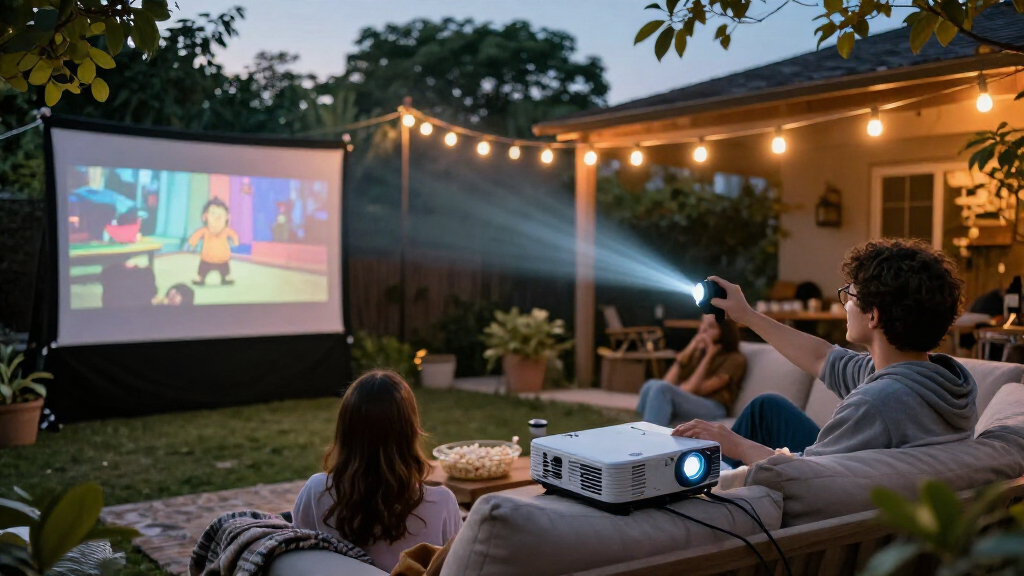
Yes, but a mini projector is most practical outdoors after sunset, when there is less ambient light competing with the image. Plan for a stable surface, a suitable screen or flat wall, and access to power or a compatible power source. Built-in speakers may work for a small group, though larger gatherings can call for external audio. Check the setup distance before the event instead of assuming the projector will fill any screen size from any position. A portable design helps with transport, but does not remove the need to plan the viewing space.
Should I choose a projector with Roku or Google TV built in?
Built-in streaming is useful if you want fewer devices and cables at movie time. It may be less important if you already use a console, laptop, or streaming stick, or if you prefer to update that device separately from the projector. Check that your preferred services work on the included platform and consider whether you will have reliable Wi-Fi where you watch. An external streaming device can offer flexibility, but adds another item to power and connect. Choose integrated apps for simpler setup, not as a substitute for checking picture and sound needs.
Do I need a separate speaker for a projector movie night?
Not always: built-in audio may be enough for a quiet room and a small audience. A separate speaker becomes more useful when the room is larger, viewers sit farther away, or you want clearer dialogue and fuller sound. Before buying, check whether your existing speaker connects by Bluetooth, cable, or another method supported by the projector. Wireless audio can simplify placement, although it may take extra pairing and may not suit every setup. If sound is central to your movie nights, plan the audio system alongside the projector rather than treating it as an afterthought.
What should I measure before buying a projector for my room?
Measure the available distance from the projector position to the screen or wall, plus the width and height of the surface you can use. Compare those figures with the projector’s stated throw guidance and your preferred image size. Also check where power outlets sit and whether furniture, ceiling fixtures, or foot traffic could interfere with placement. Autofocus and adjustable stands can make positioning easier, but they cannot make an unsuitable throw distance work. A quick measurement before purchase can prevent a projector from being too close, too far away, or awkward to aim.
Conclusion
For the best overall home movie setup, I’d choose the Epson Home Cinema 1100 if the projector will mostly stay indoors and picture performance is the priority. For value and simpler streaming, the HAPPRUN Roku Smart Mini Projector is a practical pick for buyers who want fewer separate devices, while the Soundcore Nebula P1i is better suited to viewers who want portable viewing with integrated, repositionable speakers. Beginners should look at a Roku-equipped model for a more direct path to streaming, though they should still check placement and room light. For premium portability, the NEBULA Capsule 3 is the compact option; for specific needs, choose the DVD-equipped projector for disc playback or a bundled-screen model when you lack a suitable surface. Match the pick to your room and routine, and the tradeoffs become much easier to judge.