
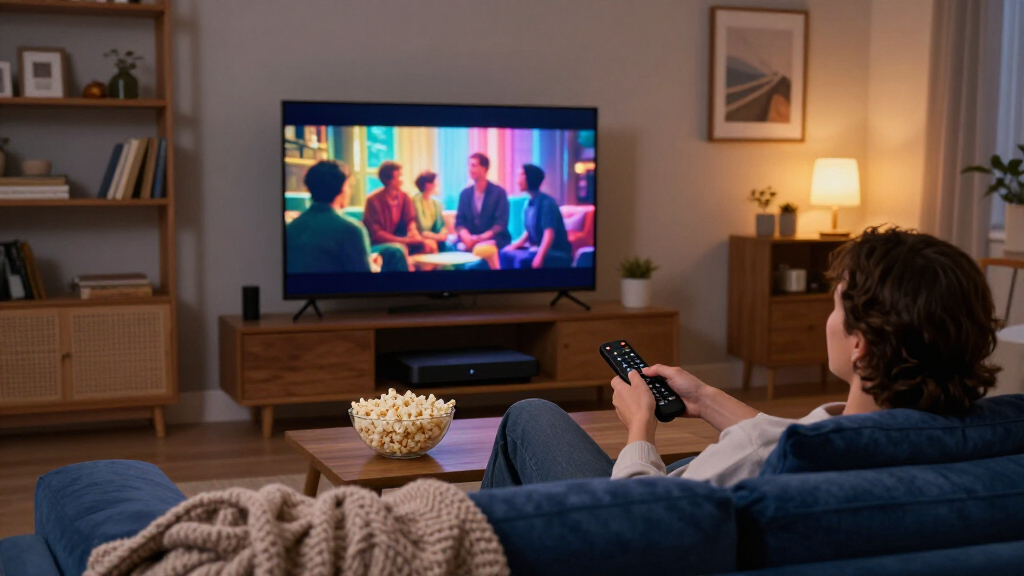

Streaming media players have quietly become one of the most differentiating gadgets in a home theater, because the smart apps built into most TVs are often slow, outdated, or missing services you actually watch. After comparing 15 of the leading options, my pick for best overall is the NVIDIA SHIELD TV Pro, which pairs exceptional processing power with Dolby Vision, Atmos, and unmatched local media support through apps like Plex and Kodi. For pure value, the onn 4K Pro delivers Google TV, Dolby Vision, and Ethernet at a fraction of the price, while the Google TV Streamer (4K) stands out for its modern interface, Matter smart home hub, and generous 32 GB of storage. The main tradeoff in this category is between raw performance and price: premium boxes handle demanding codecs and local files effortlessly, while budget sticks occasionally stutter, skimp on storage, or lack Ethernet. Read on for the full breakdown of all 15 players.

Get movie nights delivered free with Prime
- Fast, free delivery on millions of items
- Prime Video, Amazon Music and more included
- Member-only deals all year
Key Takeaways
- The NVIDIA SHIELD TV Pro still leads this lineup in 2026 thanks to AI upscaling, the widest codec support, and Plex server functionality that no stick-format player can match — but it costs several times more than budget options like the onn 4K Pro.
- Ethernet emerged as the single biggest reliability differentiator: every player with a wired port (SHIELD TV Pro, Google TV Streamer, onn 4K Pro, Roku Ultra family) maintained steadier 4K streams than Wi-Fi-only sticks.
- This roundup contains three variants of the Roku Ultra LT plus renewed units — the practical differences between them are minor, so buying the cheapest configuration (including renewed) is usually the smarter Roku move.
- Local file playback is where cheap Android boxes fall apart: the Micca 4K and Formuler Z10 serve USB and microSD media that mainstream players like Roku handle poorly or not at all, making them niche picks rather than general streaming devices.
- HD-only sticks like the Roku Streaming Stick HD and onn Android TV 2K only make sense for older 1080p TVs; anyone with a 4K panel should spend slightly more on a 4K-capable device to avoid replacing it within a year.
| NVIDIA SHIELD TV Pro 4K HDR Streaming Media Player |  | Best Premium Powerhouse | Processor: NVIDIA Tegra X1+ | Memory: 3 GB RAM | Storage: 16 GB | VIEW LATEST PRICE | See Our Full Breakdown |
| onn 4K Pro Streaming Device with Google TV and Gemini |  | Best Value Flagship Features | Resolution: 4K Ultra HD | Storage: 32 GB | RAM: 3 GB | VIEW LATEST PRICE | See Our Full Breakdown |
| Roku Streaming Stick 4K with Voice Remote (Renewed) |  | Best Budget 4K Stick | Connectivity: HDMI, long-range Wi-Fi | Resolution: 4K | HDR Support: Dolby Vision, HDR10+ | VIEW LATEST PRICE | See Our Full Breakdown |
| Xiaomi TV Box S 3rd Gen 4K UHD Google TV Streaming Device |  | Best for Format Flexibility | Resolution: 4K UHD (3840 × 2160) | Operating system: Google TV | Processor: 64-bit quad-core A55, up to 2.5 GHz | VIEW LATEST PRICE | See Our Full Breakdown |
| Roku Ultra LT 4K Streaming Device with Voice Remote |  | Best for Beginners | Brand: Roku | Resolution: 4K UHD (3840 × 2160) | Operating system: Roku OS | VIEW LATEST PRICE | See Our Full Breakdown |
| Roku Ultra LT (2023) 4K Streaming Player with Dolby Vision and Voice Remote |  | Best Wired Connection for the Money | Resolution: HD and 4K UHD up to 3840 × 2160 | HDR formats: HDR, Dolby Vision | Connectivity: Bluetooth, Ethernet, HDMI, Wi-Fi | VIEW LATEST PRICE | See Our Full Breakdown |
| onn Android TV 2K FHD Streaming Stick with Remote |  | Best Budget Starter Stick | Resolution: 2K | Operating system: Android TV | Casting: Chromecast built in | VIEW LATEST PRICE | See Our Full Breakdown |
| Roku Ultra LT (2023) 4K HDR Streaming Player, Renewed |  | Best Value in 4K | Processor: Quad-core | Supported resolutions: 1080p, 4K (1920×1080, 3840×2160) | Connectivity: Bluetooth, Ethernet, HDMI, dual-band Wi-Fi | VIEW LATEST PRICE | See Our Full Breakdown |
| onn Android TV 4K UHD Streaming Device with Voice Remote and HDMI Cable |  | Best Budget 4K Upgrade | Resolution: 4K UHD (3840 × 2160) | Operating system: Android TV | Connectivity: HDMI, Wi-Fi | VIEW LATEST PRICE | See Our Full Breakdown |
| Roku Ultra 4K Streaming Player |  | Best Premium Pick | Resolution: 4K | HDR formats: HDR10+, Dolby Vision | Audio: Dolby Atmos | VIEW LATEST PRICE | See Our Full Breakdown |
| Micca 4K Ultra HD USB and microSD Media Player |  | Best for Local Playback and Digital Signage | Connectivity: USB, microSD | Connectors: HDMI, analog AV | Maximum video resolution: 4096 × 2304 at 30 fps | VIEW LATEST PRICE | See Our Full Breakdown |
| TiVo Stream 4K Streaming Device with Android TV |  | Best for Cable-Cutters Who Miss Channel Surfing | Resolution: 4K | Connectivity: Wi-Fi | Connector: HDMI | VIEW LATEST PRICE | See Our Full Breakdown |
| Formuler Z10 4K Android TV Box |  | Best Wired Networking Pick | Operating system: Android 10 | Output resolution: 4K (3840 × 2160) | RAM: 2 GB DDR | VIEW LATEST PRICE | See Our Full Breakdown |
| Roku Streaming Stick HD with Voice Remote |  | Best Budget Stick for Simplicity | Resolution: 1080p | Connectivity: Bluetooth, Wi-Fi | Connector: HDMI | VIEW LATEST PRICE | See Our Full Breakdown |
| Google TV Streamer (4K), Porcelain, 32 GB |  | Best Premium Hub Pick | Resolution: Up to 4K (3840 × 2160) HDR | Connectivity: Ethernet, Wi-Fi | Connector: HDMI | VIEW LATEST PRICE | See Our Full Breakdown |
| streaming media player | Connectivity | Resolution | Storage |
|---|---|---|---|
| NVIDIA SHIELD TV Pro 4K HDR St | Gigabit Ethernet, dual-band AC Wi-Fi, Bluetooth 5.0 | — | 16 GB |
| onn 4K Pro Streaming Device wi | Wi-Fi 6, Ethernet port | 4K Ultra HD | 32 GB |
| Roku Streaming Stick 4K with V | HDMI, long-range Wi-Fi | 4K | 4 GB |
| Xiaomi TV Box S 3rd Gen 4K UHD | Wi-Fi 6, Bluetooth, HDMI, USB | 4K UHD (3840 × 2160) | 32 GB |
| Roku Ultra LT 4K Streaming Dev | HDMI | 4K UHD (3840 × 2160) | — |
| Roku Ultra LT | Bluetooth, Ethernet, HDMI, Wi-Fi | HD and 4K UHD up to 3840 × 2160 | — |
| onn Android TV 2K FHD Streamin | — | 2K | — |
| Roku Ultra LT | Bluetooth, Ethernet, HDMI, dual-band Wi-Fi | — | — |
| onn Android TV 4K UHD Streamin | HDMI, Wi-Fi | 4K UHD (3840 × 2160) | 8 GB |
| Roku Ultra 4K Streaming Player | — | 4K | — |
| Micca 4K Ultra HD USB and micr | USB, microSD | — | — |
| TiVo Stream 4K Streaming Devic | Wi-Fi | 4K | 8 GB |
| Formuler Z10 4K Android TV Box | — | — | 8 GB eMMC |
| Roku Streaming Stick HD with V | Bluetooth, Wi-Fi | 1080p | — |
| Google TV Streamer | Ethernet, Wi-Fi | Up to 4K (3840 × 2160) HDR | 32 GB |
More Details on Our Top Picks
NVIDIA SHIELD TV Pro 4K HDR Streaming Media Player
For buyers who want a streaming player that doubles as a home server and gaming box, this option stands out as the most capable device in the lineup. The AI upscaling is the real differentiator: older 1080p catalogs look noticeably sharper on a 4K TV, something the Xiaomi TV Box S and Roku Ultra LT simply don’t attempt. Two USB 3.0 ports plus a built-in Plex Media Server make it better suited to collectors with large personal libraries than any other pick here.
The tradeoffs are real, though. Compared with the Roku Streaming Stick 4K, it’s bulky and expensive for someone who just wants Netflix in 4K, and the 16 GB of storage means heavy gamers or app hoarders will need external drives. The game controller that unlocks its GeForce NOW potential is sold separately, which adds to the total cost of an already premium purchase.
Pros:- AI upscaling makes HD content look sharper on 4K displays
- Two USB 3.0 ports and built-in Plex Media Server for local media libraries
- Full 4K HDR with Dolby Vision and Dolby Atmos support
- Gigabit Ethernet and Bluetooth 5.0 for flexible, reliable connectivity
Cons:- Game controller sold separately, limiting its gaming appeal out of the box
- Only 16 GB of internal storage for a device positioned as a premium hub
- Overkill in size and cost for households that just stream a few services
Best for: Enthusiasts and cord-cutters who want a media server, local playback hub, and cloud gaming box in one device
Not ideal for: Casual streamers who only watch a few apps — the extra power and price go to waste for them
- Processor:NVIDIA Tegra X1+
- Memory:3 GB RAM
- Storage:16 GB
- Video:4K HDR with Dolby Vision
- Audio:Dolby Atmos and Dolby Digital Plus
- Ports:2 USB 3.0
- Connectivity:Gigabit Ethernet, dual-band AC Wi-Fi, Bluetooth 5.0
- Additional features:AI upscaling, Plex Media Server, Chromecast 4K
Our verdict“If you think of a streaming player as a whole-home media hub rather than a Netflix remote, this is the one that justifies its premium positioning.”
onn 4K Pro Streaming Device with Google TV and Gemini
This model makes the most sense for buyers who want flagship specs without the flagship price. The 3 GB of RAM is 50% more than the onn 4K Plus, which translates to snappier menu navigation and fewer stutters when jumping between apps — a gap you’ll feel compared with the 2 GB in the Xiaomi TV Box S. Wi-Fi 6 plus an optional Ethernet port gives it a networking flexibility that the Roku Streaming Stick 4K can’t match, since that stick is Wi-Fi only.
The backlit remote with Find My Remote is a genuinely useful touch that most budget players skip. Where it falls short is polish: the Gemini assistant features may require extra setup or feel half-baked, and onn lacks the brand ecosystem and app-testing consistency of Roku or Google’s own hardware. It’s a strong value, but one that asks for a little patience.
Pros:- 3 GB of RAM delivers smooth multitasking beyond typical budget players
- Wi-Fi 6 with optional Ethernet port for buffer-free streaming
- 32 GB of storage for plenty of apps and games
- Backlit remote with Find My Remote feature
Cons:- Gemini features may be limited or require additional setup
- Smaller brand ecosystem means less assurance of long-term app support
- Dolby Vision and Atmos support depends on TV compatibility at this tier
Best for: Value-focused streamers who want Dolby Vision, Wi-Fi 6, and 32 GB of storage at a budget-friendly price
Not ideal for: Buyers who prioritize a polished, battle-tested interface — Roku OS or Google’s own streamer will feel more refined
- Resolution:4K Ultra HD
- Storage:32 GB
- RAM:3 GB
- HDR Support:Dolby Vision
- Audio:Dolby Atmos
- Connectivity:Wi-Fi 6, Ethernet port
- Remote:Backlit with Find My Remote
- Platform:Google TV with Gemini
Our verdict“This pick delivers near-flagstream specs on a budget, making it the smart choice for spec-hunters who can tolerate a less polished software experience.”
Roku Streaming Stick 4K with Voice Remote (Renewed)
Compared with the full-size Roku Ultra LT, this stick trades box convenience for total invisibility — it plugs directly behind the TV, hiding cables entirely. That makes it the better fit for wall-mounted sets and secondary rooms where a set-top box would be clutter. Despite the small footprint, it still delivers 4K, Dolby Vision, and HDR10+, matching the Ultra LT’s picture quality for everyday streaming.
The compromises are worth understanding before buying. It’s Wi-Fi only with no Ethernet option, so homes with weak wireless signal will see buffering that the onn 4K Pro’s wired connection avoids. The 4 GB of storage fills quickly if you install many apps. And because this is a renewed unit, condition and battery life of the included remote can vary, which is the main gamble versus buying new.
Pros:- 4K with Dolby Vision and HDR10+ in a hide-behind-the-TV design
- Voice remote controls TV power and volume
- Long-range Wi-Fi performs well in multi-room setups
- Works with Siri, Alexa, and Google Assistant
Cons:- Wi-Fi only — no Ethernet option for unstable networks
- Renewed condition means variable cosmetics and remote battery health
- Just 4 GB of storage limits how many apps you can keep installed
Best for: Budget-conscious buyers adding 4K streaming to a wall-mounted TV or a secondary room
Not ideal for: Homes with unreliable Wi-Fi or buyers who want a warranty-backed new device — go wired or buy new instead
- Connectivity:HDMI, long-range Wi-Fi
- Resolution:4K
- HDR Support:Dolby Vision, HDR10+
- Controller:Voice remote with TV power and volume
- Storage:4 GB
- Weight:25.54 g
- Condition:Renewed
Our verdict“A low-risk way to get full 4K picture quality on an older TV, provided your Wi-Fi is solid and you’re comfortable with a renewed unit.”
Xiaomi TV Box S 3rd Gen 4K UHD Google TV Streaming Device
What separates this model from the Roku Streaming Stick 4K is its broader audio format support: Dolby Atmos and DTS:X, the latter being something most Roku players skip entirely. If you own a receiver or soundbar that decodes DTS soundtracks from Blu-ray rips or certain streaming sources, this box handles them where Roku hardware won’t. Google TV with Google Cast and Assistant also gives it the same smart-home and casting chops as the onn 4K Pro.
The weak point is memory. At 2 GB of RAM, it lags behind both the onn 4K Pro and the NVIDIA SHIELD TV Pro in multitasking, so heavy app switching can introduce pauses. Wi-Fi 6 support is welcome but only pays off with a compatible router — paired with older networking gear, it performs like any basic streaming box. It’s a format-first choice, not a performance-first one.
Pros:- Supports both Dolby Atmos and DTS:X audio, rare at this price
- 4K UHD with HDR10+ and Dolby Vision
- Google TV with Google Cast and Assistant voice control
- 32 GB of storage for apps
Cons:- Only 2 GB of RAM limits multitasking headroom
- Wi-Fi 6 benefit requires a compatible router
- No Ethernet port, unlike the onn 4K Pro
Best for: Home theater owners with DTS:X-capable receivers who want broad audio and video format coverage
Not ideal for: Heavy multitaskers — the 2 GB of RAM makes it slower than the onn 4K Pro when jumping between apps
- Resolution:4K UHD (3840 × 2160)
- Operating system:Google TV
- Processor:64-bit quad-core A55, up to 2.5 GHz
- Memory:2 GB RAM
- Storage:32 GB
- Connectivity:Wi-Fi 6, Bluetooth, HDMI, USB
- Video features:HDR10+, Dolby Vision
- Audio features:Dolby Atmos, DTS:X
- Remote:360° Bluetooth remote with voice control
Our verdict“This is the pick for audio-format completists with a proper sound system, as long as everyday app-juggling speed isn’t a priority.”
Roku Ultra LT 4K Streaming Device with Voice Remote
This model earns its place through simplicity. Roku OS remains the most approachable streaming platform in the roundup — flat menus, no assistant upsells, and apps that just work the same way every time. Compared with the Google TV devices here like the Xiaomi TV Box S, there’s no account-tangled home screen or recommendation carousel to learn; a grandparent or streaming newcomer can be watching shows in minutes. The bundled HDMI cable and USB extension cord mean there’s nothing extra to buy, unlike some bare-basics competitors.
It isn’t ambitious, though. There’s no Ethernet port, so it’s dependent on Wi-Fi quality just like the Roku Streaming Stick 4K, and its 2 GB of RAM puts it behind the onn 4K Pro for responsiveness. Audio support also stops short of DTS:X formats the Xiaomi handles. This is a device for easy, dependable streaming — not for enthusiasts chasing every last feature.
Pros:- Roku OS is the easiest interface to learn and navigate
- Includes HDMI cable and USB extension cord in the box
- 4K UHD with Dolby Vision
- Voice remote controls TV power and volume
Cons:- Wi-Fi only with no Ethernet option
- 2 GB of RAM is slower than the onn 4K Pro when switching apps
- No DTS:X or advanced audio format support
Best for: First-time streamers and less tech-savvy households who want the simplest setup and interface
Not ideal for: Enthusiasts who want Ethernet, DTS audio support, or top-tier multitasking speed
- Brand:Roku
- Resolution:4K UHD (3840 × 2160)
- Operating system:Roku OS
- RAM:2 GB
- Wireless:802.11ac dual-band Wi-Fi
- Video codec:HEVC (H.265)
- Connectivity:HDMI
- Included accessories:Voice remote, HDMI cable, USB extension cord
Our verdict“Buy it for the friendliest streaming experience in the lineup; skip it if you care about wired networking or audiophile formats.”
Roku Ultra LT (2023) 4K Streaming Player with Dolby Vision and Voice Remote
This model stands out for offering the two things cheaper sticks like the Roku Streaming Stick 4K can’t: an Ethernet port for rock-solid streaming and a remote with private listening through a headphone jack. Compared with the onn Android TV box further down this list, the Roku interface is noticeably simpler and less cluttered, which matters if the whole household shares one device. Dolby Vision support at this tier is a genuine differentiator — most budget players stop at basic HDR. The tradeoff is the box format itself: it takes up shelf space where a stick hides behind the TV, and buyers should check the listing condition notes, since some units ship in damaged packaging.
Pros:- Ethernet port for stable, buffer-free 4K streaming
- Dolby Vision on top of standard HDR
- Private listening via the remote’s headphone jack
- Voice remote doubles as a TV controller
Cons:- Set-top box form factor takes up shelf space unlike stick players
- Some units arrive in water-damaged packaging
Best for: Streamers who want a wired Ethernet connection and private listening without paying flagship prices
Not ideal for: Viewers who want an invisible setup behind the TV — the box design is bulkier than any stick-style player
- Resolution:HD and 4K UHD up to 3840 × 2160
- HDR formats:HDR, Dolby Vision
- Connectivity:Bluetooth, Ethernet, HDMI, Wi-Fi
- Controller:Voice remote
- Private listening:Remote headphone jack or wireless headphones
- Video codecs:H.264, H.265/HEVC, VP9
- Dimensions:6 × 4 × 2 in
Our verdict“This pick makes the most sense for buyers who prioritize a reliable wired connection and headphone listening over a minimalist setup.”
onn Android TV 2K FHD Streaming Stick with Remote
For a spare bedroom TV or a first streaming device, this stick covers the basics without asking much in return. The Chromecast built-in feature is the real draw here — casting from a phone is often easier for streaming newcomers than navigating a full menu system, something the Roku Ultra LT above doesn’t offer. Access to the Google Play Store means thousands of apps, though Android TV tends to feel busier than Roku’s simpler grid. The obvious ceiling is 2K resolution: next to the onn 4K model in this roundup, picture quality on a large 4K panel will fall short. Anyone with a big-screen TV should step up; anyone with an older 1080p set loses nothing.
Pros:- Chromecast built in for easy casting from phones and tablets
- Voice control via the remote’s microphone button
- Thousands of apps through the Play Store
- Stick format hides behind the TV
Cons:- Resolves only up to 2K, well below current 4K standards
- Android TV interface can feel cluttered for first-time streamers
Best for: Casual viewers adding streaming to an older 1080p or 2K TV in a guest room or bedroom
Not ideal for: Owners of large 4K TVs — the 2K resolution cap leaves picture quality on the table
- Resolution:2K
- Operating system:Android TV
- Casting:Chromecast built in
- Voice control:Built-in virtual assistant via remote microphone
- Included accessories:Remote control and power adapter
Our verdict“A sensible entry point for small or older TVs where 4K would be wasted anyway.”
Roku Ultra LT (2023) 4K HDR Streaming Player, Renewed
Functionally, this renewed unit delivers the same experience as the new Roku Ultra LT elsewhere in this roundup — 4K, HDR, Dolby Vision, Ethernet, and a voice remote — but at a lower cost, and it sweetens the deal by including headphones and an HDMI cable in the box. The quad-core processor keeps menu navigation brisk compared with cheaper sticks that hesitate when loading apps. The catch is the renewed status: condition can vary between units, and warranty support typically differs from buying new. Buyers comfortable with a refurbished device get the most capability per dollar here; anyone who wants a pristine out-of-box experience should pay the premium for the new Ultra LT instead.
Pros:- Includes HDMI cable and headphones in the box
- Ethernet and dual-band Wi-Fi for flexible connectivity
- Quad-core processor for responsive navigation
- Dolby Vision and HDR support at a low price point
Cons:- Renewed condition means variable cosmetic and functional wear
- No resolution headroom beyond 4K if formats evolve
Best for: Value-focused buyers who want 4K, Ethernet, and private listening and don’t mind refurbished hardware
Not ideal for: Gift-givers and buyers who expect new-condition packaging and full new-unit warranty coverage
- Processor:Quad-core
- Supported resolutions:1080p, 4K (1920×1080, 3840×2160)
- Connectivity:Bluetooth, Ethernet, HDMI, dual-band Wi-Fi
- Video codecs:H.264, H.265/HEVC, Dolby Vision
- Condition:Renewed
- Included accessories:HDMI cable, headphones, voice remote
Our verdict“The smart pick for streamers who care about performance and price more than factory-fresh condition.”
onn Android TV 4K UHD Streaming Device with Voice Remote and HDMI Cable
This device gets the essentials of modern streaming right: 4K UHD output, Google Assistant voice control, and built-in Chromecast, all at a price that undercuts most name-brand rivals. Compared with the 2K onn stick above, the jump to 4K makes it the better match for a living-room TV, and the included HDMI cable means one less purchase. It can’t match the Roku Ultra LT’s Ethernet option — this box is Wi-Fi only — and its 2 GB of RAM means occasional app-loading pauses that the flagship Roku Ultra never shows. The U.S.-only compatibility is also a hard limit: international buyers or frequent movers should look elsewhere entirely.
Pros:- True 4K UHD output at a budget price
- Google Assistant voice search via the remote
- Built-in Chromecast for casting from Android and iOS
- HDMI cable included in the box
Cons:- Wi-Fi only, with no Ethernet option for congested networks
- 2 GB RAM can slow app switching compared with premium players
- Locked to U.S. regional compatibility
Best for: Households upgrading an older 4K TV to smart streaming on a tight budget
Not ideal for: Anyone outside the United States — the device simply won’t work in other regions
- Resolution:4K UHD (3840 × 2160)
- Operating system:Android TV
- Connectivity:HDMI, Wi-Fi
- RAM:2 GB
- Storage:8 GB
- Video codecs:H.264, H.265/HEVC
- Included accessories:Voice remote control, HDMI cable
- Regional compatibility:United States only
Our verdict“A capable low-cost 4K upgrade for U.S. viewers who can live without a wired connection.”
Roku Ultra 4K Streaming Player
This is the flagship of the group, and the differences show up in the details the cheaper Rokus don’t touch. The Voice Remote Pro is the standout: rechargeable over USB-C, backlit for dark rooms, and equipped with hands-free voice control and a lost-remote finder — a real quality-of-life upgrade over the standard remotes bundled with the Ultra LT models. Add Wi-Fi 6, Ethernet, HDR10+, Dolby Vision, and Dolby Atmos audio, and it outspecs everything else in this batch, including the onn 4K device, which lacks Atmos and Wi-Fi 6. The tradeoff is simple: buyers pay a premium for features a casual viewer may never use. If headphone listening and wired networking are all that matter, the renewed Ultra LT covers those for less.
Pros:- Dolby Atmos and HDR10+ support for full home-theater playback
- Rechargeable Voice Remote Pro with backlit buttons and lost-remote finder
- Wi-Fi 6 and Ethernet for maximum connection flexibility
- Bluetooth private listening without cables
Cons:- Premium price for features many viewers won’t use
- Atmos and HDR10+ require compatible TV and audio gear to matter
Best for: Home theater enthusiasts who want Atmos audio, Wi-Fi 6, and a premium remote in one box
Not ideal for: Casual streamers — most of the upgrades here are wasted on a bedroom TV or basic soundbar setup
- Resolution:4K
- HDR formats:HDR10+, Dolby Vision
- Audio:Dolby Atmos
- Wi-Fi:Wi-Fi 6
- Wired connectivity:Ethernet
- Remote:Rechargeable Roku Voice Remote Pro with USB-C, backlight, hands-free voice, lost remote finder
- Headphone mode:Bluetooth
Our verdict“Worth the premium only if your TV and sound system can actually exploit Atmos, HDR10+, and Wi-Fi 6.”
Micca 4K Ultra HD USB and microSD Media Player
Most picks in this roundup stream from the internet, but the Micca 4K solves a different problem: playing files you already own. It reads USB drives up to 8 TB and microSD cards up to 1 TB across FAT, exFAT, and NTFS formats, which makes it far better suited to large offline libraries than the Roku Streaming Stick HD, which depends entirely on Wi-Fi. Its automatic looping, resume, and screen rotation features are what set it apart for digital signage in storefronts or trade show booths. The tradeoff is real: there is no network streaming at all, so Netflix and YouTube simply are not options here, and the 30 fps cap at maximum resolution will disappoint anyone with high frame-rate footage. Compared with the Formuler Z10, it trades app support for plug-and-play file playback.
Pros:- Plays 4K media directly from USB drives and microSD cards
- Handles massive storage up to 8 TB across multiple file systems
- Looping, resume, and rotation modes built for signage duty
- Composite AV output works with older televisions
Cons:- No network or internet streaming capability
- Video limited to 30 fps at maximum resolution
Best for: Businesses running digital signage loops and households with large offline video collections on USB drives
Not ideal for: Anyone who wants Netflix, YouTube, or any internet streaming — this device has no network capability
- Connectivity:USB, microSD
- Connectors:HDMI, analog AV
- Maximum video resolution:4096 × 2304 at 30 fps
- Supported storage:USB drives up to 8 TB; microSD up to 1 TB
- Supported file systems:FAT, FAT32, exFAT, NTFS
- Special features:Automatic looping, playback resume, 90°/180°/270° rotation
- Weight:62 g
Our verdict“Buy this if your media lives on a drive rather than in an app — skip it if streaming services are your main source.”
TiVo Stream 4K Streaming Device with Android TV
The TiVo Stream 4K distinguishes itself by merging live TV and streaming apps into a single unified guide, something the Roku Streaming Stick HD does not attempt. Its cross-app recommendations surface shows from services you subscribe to without making you hop between home screens, and the included Dolby Vision and Dolby Atmos support gives it home-theater credibility that basic HD sticks lack. Google Assistant voice search works well for jumping straight to content. The drawbacks are worth weighing: 8 GB of storage fills quickly if you install many apps, and the Android TV interface is busier and less immediately simple than Roku’s grid, which matters for less tech-savvy households. Compared with the onn 4K Pro, it matches the feature set but leans harder into live TV integration.
Pros:- Unifies streaming apps and live TV in one guide
- Dolby Vision HDR and Dolby Atmos support
- Google Assistant voice control included
- Personalized recommendations span multiple apps
Cons:- Requires Wi-Fi and a free HDMI port
- 8 GB storage limits how many apps you can keep installed
Best for: Cable-cutters who want live channels and streaming apps blended into one channel-guide experience
Not ideal for: Viewers who want the simplest possible interface — Android TV menus take more learning than Roku
- Resolution:4K
- Connectivity:Wi-Fi
- Connector:HDMI
- RAM:2 GB
- Storage:8 GB
- Form factor:TV stick
- Power consumption:5 W max
Our verdict“This pick makes the most sense for viewers who want live TV baked into their streaming experience rather than siloed in separate apps.”
Formuler Z10 4K Android TV Box
Unlike the stick-shaped options throughout this lineup, the Formuler Z10 is a box built around connectivity: USB 3.0, Bluetooth 5.0, and a 100M Ethernet port. That wired Ethernet option is the standout — if your Wi-Fi is congested or your router sits far from the TV, a hardwired connection avoids the buffering that plagues Wi-Fi-only devices like the TiVo Stream 4K. The box form factor also means you can attach USB storage or peripherals, which no stick here offers. The compromises are clear, though: 2 GB of RAM and 8 GB of storage will feel tight with Android 10 and a growing app library, and Android 10 is an older OS version that some apps may eventually drop. Think of it as a flexible, port-rich alternative when a dongle is simply too limited.
Pros:- Ethernet port enables stable wired connections
- USB 3.0 and Bluetooth 5.0 expand connectivity options
- 4K output with HDR support
- Box design allows external storage and peripherals
Cons:- 2 GB RAM limits multitasking and app performance
- 8 GB storage fills fast with Android apps
- Ships with the older Android 10 OS
Best for: Tinkerers and users with unreliable Wi-Fi who want Ethernet, USB peripherals, and Bluetooth in one box
Not ideal for: Casual streamers who just want apps to work — the modest RAM and older Android version add friction
- Operating system:Android 10
- Output resolution:4K (3840 × 2160)
- RAM:2 GB DDR
- Storage:8 GB eMMC
- Wireless:Dual-band 2×2 AC Wi-Fi, Bluetooth 5.0
- Ethernet:100M
- Ports:USB 3.0, HDMI, LAN, power input
Our verdict“Choose this when ports and wired networking matter more than the latest interface polish.”
Roku Streaming Stick HD with Voice Remote
If you want the least complicated path from unboxing to watching, the Roku Streaming Stick HD delivers. Roku’s interface is the friendliest in this roundup, and the stick powers directly from the TV’s USB port, so there is no wall adapter to wrangle — a genuine advantage over the Google TV Streamer, which needs its own power and a separately sold HDMI 2.1 cable. The voice remote handles volume and TV power, and Bluetooth Headphone Mode enables private listening, which is unusual at this tier. The obvious ceiling is resolution: it tops out at 1080p, so 4K television owners should step up to the Roku Streaming Stick 4K or the onn 4K Pro instead. For older HDTVs, guest rooms, and secondary screens, that limitation hardly matters.
Pros:- Powers from the TV without a wall outlet
- Roku interface is the simplest to navigate
- Bluetooth Headphone Mode for private listening
- Compact body keeps adjacent HDMI ports accessible
Cons:- Capped at 1080p resolution
- Requires a stable Wi-Fi connection
Best for: Owners of 1080p TVs who want an easy, cheap upgrade with private listening and zero cable clutter
Not ideal for: 4K TV owners — the 1080p cap wastes the panel and cheaper 4K alternatives exist in this lineup
- Resolution:1080p
- Connectivity:Bluetooth, Wi-Fi
- Connector:HDMI
- Controller:Voice remote
- Form factor:TV stick
- Supported services:Apple TV+, Disney+, Hulu, Netflix, Prime Video
- Smart home compatibility:Alexa, Apple AirPlay and HomeKit, Google Home
Our verdict“The easiest streaming upgrade for an HD television — just don’t expect it to feed a 4K panel.”
Google TV Streamer (4K), Porcelain, 32 GB
The Google TV Streamer sits at the top of this lineup for good reason: 4 GB of RAM and 32 GB of storage double the memory and quadruple the storage of the TiVo Stream 4K and Formuler Z10, which translates to snappier navigation and room for far more apps. Beyond streaming, it acts as a smart home hub — the remote controls lights, cameras, and thermostats, something no other entry here does as directly. Its aggregated Google TV interface pulls watchlists and recommendations from hundreds of services plus 800+ free live channels. The friction points: it needs an HDMI 2.1 cable that is not included, and the tabletop form factor occupies shelf space rather than hiding behind the TV like a stick. Households already in the Google ecosystem will get the most from it.
Pros:- 4 GB RAM and 32 GB storage outclass the sticks in this lineup
- Smart home controls built into the remote
- 4K HDR with Dolby Vision
- Aggregates 800+ free live channels alongside paid services
Cons:- HDMI 2.1 cable required and sold separately
- Tabletop design uses shelf space unlike discreet sticks
Best for: Google-ecosystem households that want a fast streaming hub that doubles as a smart home controller
Not ideal for: Buyers on a budget or tight on space — the required separate HDMI 2.1 cable and tabletop design add cost and clutter
- Resolution:Up to 4K (3840 × 2160) HDR
- Connectivity:Ethernet, Wi-Fi
- Connector:HDMI
- Storage:32 GB
- RAM:4 GB
- Control:Remote control, voice control
- Dimensions:6.4 × 3 × 1 inches
Our verdict“The most capable all-rounder here for viewers who want speed, storage, and smart home control in one device.”
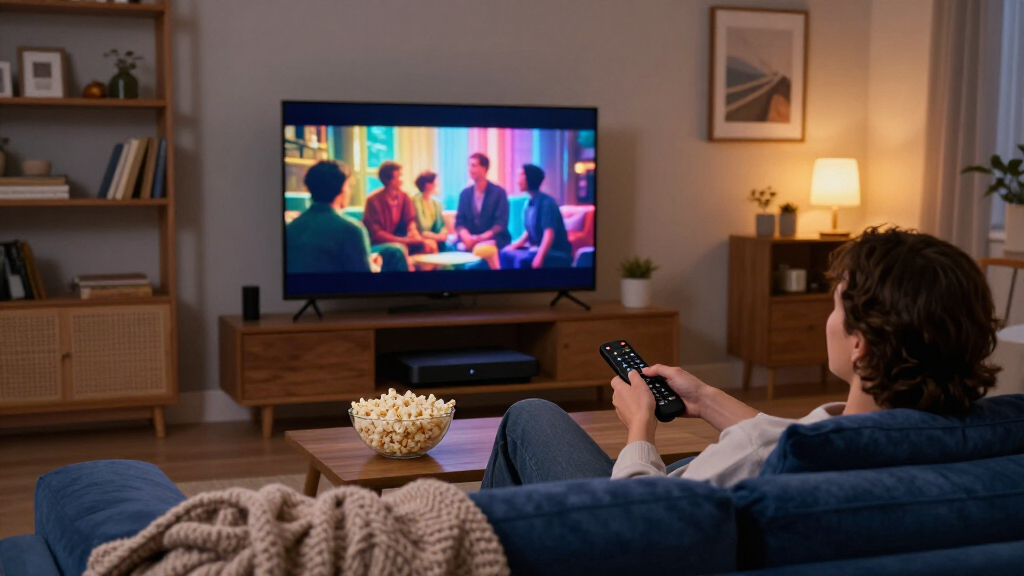
How We Picked
I ranked these streaming media players on five buyer-relevant criteria: streaming performance (interface speed, app load times, and stability at 4K), video and audio format support (Dolby Vision, HDR10+, Atmos), connectivity (Ethernet, Wi-Fi band support, expandable storage), ecosystem and app availability, and value relative to the competition. A player that stutters on a wired connection or lacks the HDR format your TV supports was penalized heavily, because those failures show up every single night you use it.
The ranking logic also accounts for longevity and use case. Devices with stronger processors and ongoing software support — the SHIELD TV Pro and Google TV Streamer — rank above cheaper boxes that may slow down or lose updates sooner. Niche devices like the Micca and Formuler were judged more on their local-media strengths than on mainstream app streaming, but were still held to a reliability bar. Where two products overlapped almost entirely, as with the Roku Ultra LT variants, I prioritized whichever configuration offers the better bundle of accessories or the stronger renewed-condition reputation.
Factors to Consider When Choosing Streaming Media Players
Choosing a streaming media player comes down to matching the device to your TV, your internet setup, and your viewing habits — not just grabbing the most powerful box on the shelf. Before settling on any of the 15 picks above, weigh these factors against how you actually watch.Match the Player to Your TV’s Resolution and HDR Format
The most common mistake is overbuying or underbuying relative to the television. Pairing a flagship 4K player with a 1080p panel wastes most of its capabilities, while putting an HD-only stick on a 4K TV caps your picture quality permanently — and you’ll likely want to replace it within a year. Beyond resolution, HDR format support matters more than most buyers realize: Roku leans toward Dolby Vision, Google TV devices generally support both Dolby Vision and HDR10+, and some budget players skip HDR entirely. Check your TV’s spec sheet for which format it supports before choosing, because a mismatch means the player silently falls back to standard dynamic range. If your TV tops out at 1080p, an HD stick is genuinely fine and saves money that’s better spent elsewhere.
Wired Versus Wireless Connectivity
Wi-Fi-only streaming sticks are convenient for wall-mounted TVs, but they’re the leading cause of buffering complaints in 4K households, especially where the router sits far from the living room. An Ethernet port — found on the SHIELD TV Pro, Google TV Streamer, onn 4K Pro, Roku Ultra family, and Formuler Z10 — provides a consistently stable connection that removes network congestion as a variable. If Ethernet isn’t practical in your room, prioritize dual-band or better Wi-Fi support, which most 4K-grade devices here include but HD sticks sometimes don’t. A useful middle path is a powerline or mesh extender feeding a wired connection to the player. Buyers who stream heavily at peak evening hours benefit most from going wired.
Ecosystem Lock-In and App Availability
Every player here runs one of three platforms — Google TV/Android TV, Roku OS, or a proprietary interface — and the differences shape daily use more than hardware specs do. Roku’s interface is the simplest and most neutral, with no content bias, but it historically lags on niche apps and local-media tools. Google TV offers the deepest app library, better search that aggregates services, and Google Home integration, at the cost of occasional recommendation clutter tied to promoted content. Android TV boxes from third parties like Formuler can sideload apps and offer flexibility that locked-down platforms don’t. If your household already lives in one ecosystem — Chromecast groups, Roku mobile app, or Alexa routines — staying inside it will feel smoother than switching.
Storage, RAM, and Longevity
Storage is the spec buyers most often regret ignoring. Devices with 32 GB, like the Google TV Streamer and onn 4K Pro, hold dozens of apps and cache large games without slowing down, while entry-level players with 8 GB fill up quickly and begin dropping apps or requiring frequent clearing. RAM plays a similar role: 3 GB keeps the interface responsive years later, while 1–2 GB devices feel sluggish as apps grow heavier over time. Since most people keep a streaming player for four to six years, spending a little more upfront on memory translates directly into a longer useful lifespan. A fast processor, like the SHIELD’s, also keeps up with codec and app updates that would strand weaker hardware.
Local Media, Audio Files, and Special Use Cases
Not everyone streams exclusively from apps. If you have a library of downloaded video files, ripped discs, or media on USB drives and microSD cards, mainstream platforms disappoint: Roku has limited codec support and restricted USB playback, while Google TV handles it imperfectly. Dedicated media players like the Micca 4K and Formuler Z10 exist precisely for this audience, offering broad codec coverage and direct file browsing. Home theater enthusiasts running Plex or Kodi should lean toward the SHIELD TV Pro, which doubles as a Plex server and handles high-bitrate files other players choke on. Figure out what percentage of your watching comes from local files — if it’s more than a quarter, factor it heavily into your choice.
New Versus Renewed: Where the Savings Are Real
This roundup includes several renewed units, and they represent genuine savings when bought right. Streaming players have no moving parts and few wear components, so a professionally refurbished unit with a warranty often performs identically to new — the main risks are cosmetic scuffs and shorter return windows. Renewed makes the most sense for mature, proven hardware like the Roku Ultra line, where the design has been stable for years and failure modes are well understood. It makes less sense for brand-new releases, where stock issues inflate renewed pricing and you lose little by waiting for regular inventory. Always confirm the renewer offers a return period of at least 90 days before committing.
Frequently Asked Questions
Is it worth paying for the NVIDIA SHIELD TV Pro over a budget 4K player like the onn 4K Pro?
For most casual streamers, no — the onn 4K Pro covers 4K, Dolby Vision, Atmos, and Ethernet well enough that Netflix and YouTube look nearly identical on both devices. The SHIELD justifies its price through things budget players don’t attempt: AI upscaling that visibly improves sub-4K content on large TVs, enough processing headroom to stay fast for years, and the ability to run as a Plex server or play high-bitrate local files. Gamers who stream from a PC via GeForce Now or moonlight-style streaming also benefit from the SHIELD’s stronger networking and GPU. If none of those scenarios describe you, the price gap is better spent on sound or a bigger streaming library.
Which is better for an older relative: Roku or Google TV?
Roku is generally the safer choice for less tech-savpt users because its home screen is a simple grid of apps with no algorithmic feed to learn, and the remote has fewer confusing buttons. Google TV’s strength — personalized recommendations and deep search across services — assumes the viewer wants content surfaced for them, which some older users find disorienting. Roku’s remote-finding features on the Ultra models and straightforward mobile app also reduce support calls when the remote slips between couch cushions. That said, if the relative already uses a Google account and Android phone, Google TV will feel familiar. For everyone else, simplicity wins, and the Roku Ultra LT or Streaming Stick 4K are easy recommendations.
Do I need Dolby Vision and Atmos, or is standard 4K HDR enough?
It depends on your TV and sound setup more than the player. Dolby Vision only matters if your television supports it — it adjusts scene-by-scene brightness and noticeably outperforms static HDR10 on capable panels, particularly in dark rooms. Atmos follows the same logic: without a soundbar or receiver that decodes it, the player’s Atmos support goes unused. Where it gets tricky is future-proofing, since a player without these formats can bottleneck a TV or sound system you upgrade later. Given how little difference there is in cost between 4K players with and without Dolby Vision in this lineup, I’d choose the format support unless the savings are genuinely meaningful to your budget.
Are renewed streaming players safe to buy?
Yes, in most cases, because these devices have no batteries to degrade, no moving parts, and no screens to damage — the main failure points are ports and remotes, both easy to verify on arrival. Stick to renewed units sold with a stated condition grade and at least a 90-day return window so you can test Ethernet, HDMI, and the remote thoroughly in the first week. In this roundup, the renewed Roku Streaming Stick 4K and Ultra LT make particular sense because Roku’s hardware is mature and replacement cost is low, so risk is minimal. The one scenario I’d avoid renewed is when the new-unit price drops during sales, which regularly erases the discount. Register the device to your account immediately so any prior owner’s linkage is cleared.
Can a streaming media player replace cable or a set-top DVR?
Largely, yes, but with caveats around live sports and local channels. Every player here supports the major live TV services — YouTube TV, Hulu + Live TV, Sling, and Fubo — which replicate most cable channels, and the interface for switching apps is faster than most cable boxes ever were. The TiVo Stream 4K goes a step further by integrating live TV service guides directly into its interface, making the transition feel closest to traditional channel surfing. Local channels typically require an antenna, and none of these devices record over-the-air broadcasts the way a DVR did; you’d need a separate tuner or a Plex setup with an antenna to fill that gap. Sports fans should verify their regional sports network is carried by the live service they choose before cutting the cord.
Conclusion
The right streaming media player depends less on specs and more on how you watch. For best overall, the NVIDIA SHIELD TV Pro earns the top spot with performance, upscaling, and local-media flexibility nothing else here matches. The best value pick is the onn 4K Pro, which delivers nearly the full 4K experience — Dolby Vision, Atmos, Ethernet, ample storage — at a budget-friendly price. For best premium alternative, the Google TV Streamer (4K) offers the most polished modern interface plus smart home hub features, making it the best pick for Google-centric households. Beginners and older relatives are best served by the Roku Ultra LT or Streaming Stick 4K, whose simple grid interface and remote-finder remove most sources of confusion. For specific needs: the Micca 4K handles USB and microSD media collections, the Formuler Z10 suits enthusiasts who want an open Android box, and the TiVo Stream 4K fits cord-cutters transitioning from cable. Whatever you choose, prioritize Ethernet and 4K HDR support if your setup allows — those two features predict long-term satisfaction better than anything else on the box.
Fall Picks
fall essentials
As an affiliate, we earn on qualifying purchases.